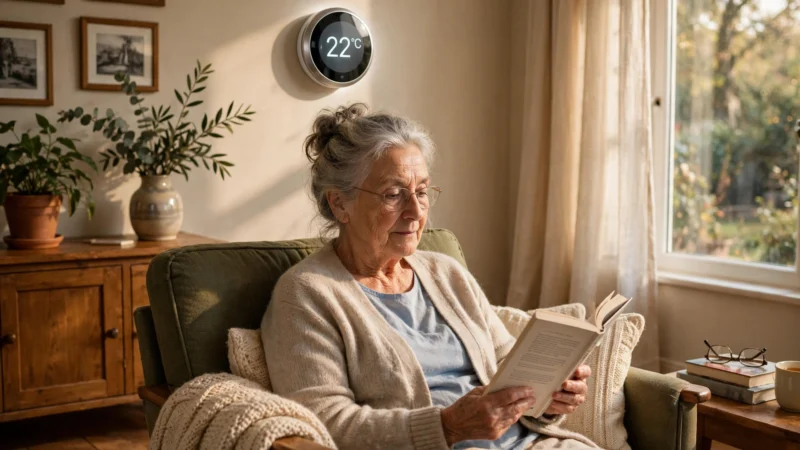

Picture this: your mum lives alone, two streets away, and she has just slipped in the kitchen. She is unhurt, but she cannot get up, and her phone is on the worktop across the room. That gap — between a fall and someone knowing about it — is exactly what medical alert systems for seniors are built to close.
Written by Md Masud Rana based on published expert sources. This article has not been professionally reviewed. See our sources below.
For many families, the question is not whether a system helps. It is which one to buy, what it genuinely costs, and whether the person who needs it will actually wear it. This guide sorts that out: how the systems work, the four main types, real 2026 costs, and the Medicare question answered honestly. One note first: chest pain, stroke signs, or a serious fall mean calling emergency services immediately — a device never replaces that call.
Last updated: November 2026
Quick Answer
A medical alert system for seniors is a wearable button or sensor that connects the wearer to help at the press of a button — or automatically, if a fall is detected. Monitored systems cost roughly $20–$60 a month and route the call through a staffed response centre; unmonitored systems call 911 or family directly, and some have no monthly fee. Original Medicare does not cover them. The right choice depends on where the person spends their time and whether they can press a button.
Contents
- What Is a Medical Alert System — and How Does It Actually Work?
- The 4 Types of Medical Alert Systems for Seniors
- Monitored vs Unmonitored: Which Response Path Is Right for You?
- How Much Do Medical Alert Systems Cost in 2026?
- Does Medicare Cover Medical Alert Systems?
- How to Choose the Right System: 14 Questions to Ask Before You Buy
- Setting Up, Testing and Living With Your System
- What Recent Research Shows
- Common Mistakes Families Make
- Final Recommendations
- Frequently Asked Questions
What Is a Medical Alert System — and How Does It Actually Work?
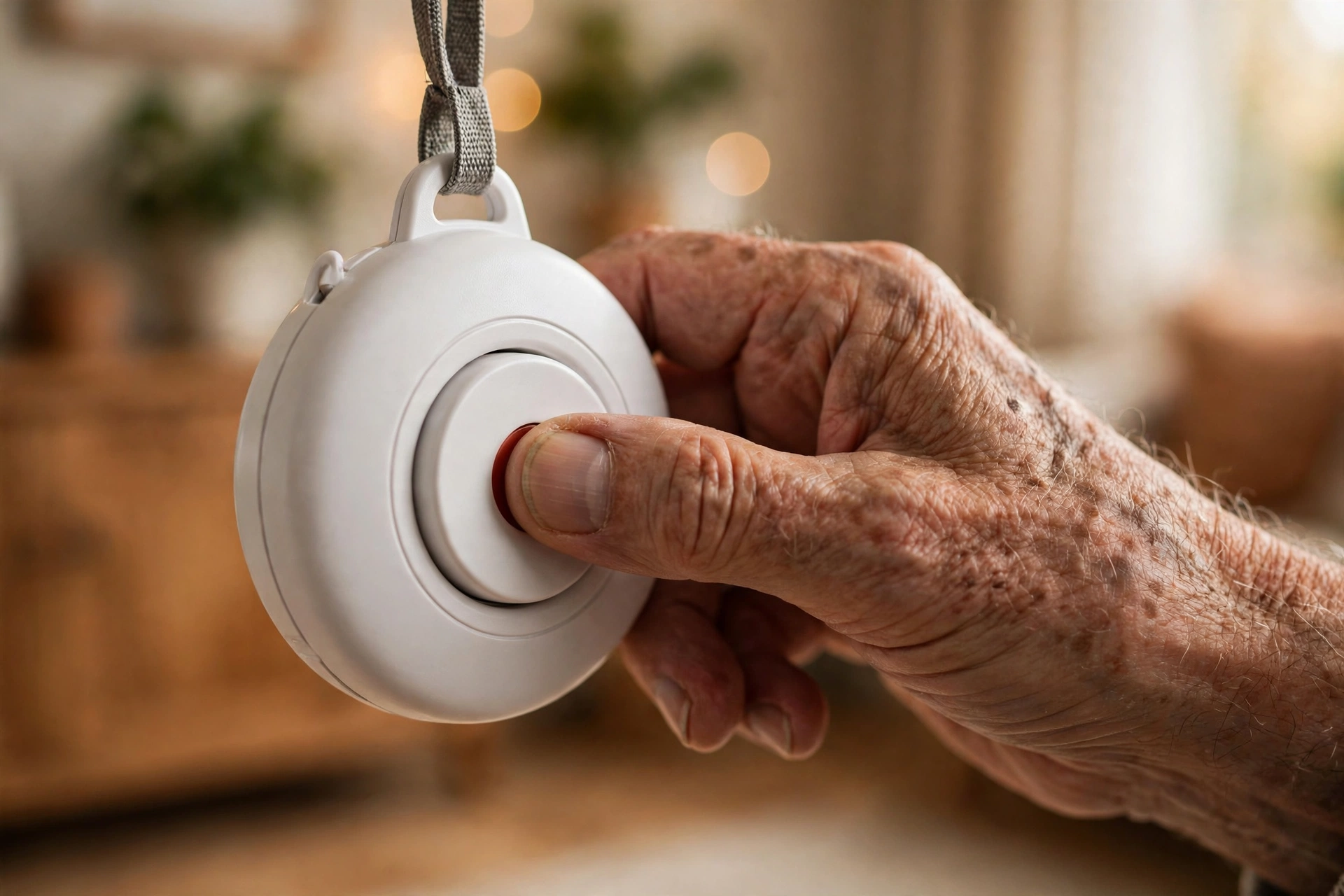
A medical alert system — also called a personal emergency response system, or PERS — is a small button, usually worn as a pendant or wristband. Press it, and the system opens a two-way voice connection to someone who can help: a trained agent in a response centre, a family member, or 911 directly.
Many modern systems add automatic fall detection. Sensors watch for the sudden movement pattern of a fall, then trigger a call even if the wearer is unconscious or cannot reach the button. It is an important safety net, but it is not perfect: no wearable catches every fall, and false alarms happen. The person should still press the button whenever they can.
On a monitored system, pressing the button connects a speaker in the base unit or the wearable to a live agent, usually within seconds. The agent checks what happened and follows the instructions on file — calling an ambulance, contacting family, or staying on the line. If the wearer cannot answer, the agent treats it as an emergency and sends help anyway.
Who actually needs one?
The obvious candidate is an older adult who lives alone. But AARP notes these systems can be equally valuable for people of any age living alone with a disability, a chronic illness, or a serious health condition. Someone with a history of falls, dizziness, heart trouble, epilepsy, or diabetes belongs in the conversation.
A geriatrician quoted by AARP put the stakes plainly: lying still for as little as an hour after a fall can lead to rhabdomyolysis, a life-threatening condition where damaged muscle tissue releases its contents into the bloodstream. Speed matters, and that is the whole point of the device.
The 4 Types of Medical Alert Systems for Seniors
Every system fits into one of four types, and each solves a different problem.
1. In-home base station systems
This is the classic design, and still the most common. A base unit plugs into a power socket and connects by landline or mobile signal. The wearer carries a lightweight pendant or wrist button with a range that covers the house and usually the garden. Press the button, and the base unit’s loudspeaker connects to the response centre. They suit people who spend most of their time at home: the buttons are large, the speaker is loud, and there is almost nothing to learn. Their weakness is range — step outside it, and there is no coverage.
2. Mobile systems with GPS
A mobile system packs the whole base station into a wearable device with its own cellular connection and GPS. It works anywhere with mobile signal, and when the button is pressed, the response centre can see the wearer’s location and direct help there. This is the right type for active seniors who go out regularly, and for anyone with dementia who might wander and get lost. The trade-offs are battery life — most need charging every day or two — and a slightly higher monthly fee.
3. Medical alert smartwatches
Smartwatches with fall detection and emergency SOS have become a genuine alternative, especially for people who refuse to wear anything that looks medical. A watch can detect a hard fall automatically, call emergency services, and share location with emergency contacts. The catch is that a smartwatch is a general-purpose device, not a dedicated safety system: Apple says plainly that its watch cannot detect all falls. Battery life is a day or two, and the screen and menus can confuse people with poor eyesight or limited hand strength. For a tech-comfortable senior it can be excellent; for someone who struggles with technology, a single big button is kinder.
4. No-monthly-fee systems that call 911 directly
The fourth type skips the monitoring centre entirely. These are one-time-purchase devices — a pendant or watch with a built-in cellular radio — that dial 911 directly at the press of a button, or automatically when fall detection triggers. There is no monthly bill, which makes them attractive on a fixed income. The trade-off is real: with no call centre, no trained agent talks the wearer through the emergency or calls family if the wearer cannot speak. If the wearer lives alone and might not be able to speak or reach a phone, a monitored service is still the safer choice.
| Type | Best for | Who answers | Works outside the home | Typical monthly cost |
|---|---|---|---|---|
| In-home base station | Mostly at home | Response centre | No | $20–$40 |
| Mobile GPS | Active, goes out often | Response centre | Yes | $30–$60 |
| Smartwatch | Tech-comfortable, dislikes medical look | 911 + contacts | Yes | $0–$10 (plus phone plan) |
| Direct-to-911, no fee | Fixed income, can speak for self | 911 directly | Yes (cellular models) | $0 |
A medical alert system pairs naturally with other senior-friendly technology — see our guide to smart home devices for seniors for the gadgets that work well alongside one.
Monitored vs Unmonitored: Which Response Path Is Right for You?
The most important choice is not the device. It is who answers when the button is pressed.
Monitored systems: a trained stranger on the line, 24/7
Monitored systems connect to a staffed response centre. A live agent answers, talks with the wearer, assesses the situation, and contacts family or emergency services as needed. Before choosing one, check whether the company runs its own centre or contracts it out, whether it is certified, and whether agents speak the wearer’s language. Response time should be seconds.
The real value of monitoring shows up in the situations nobody plans for: the wearer presses the button by mistake and cannot explain, falls and is confused, or cannot speak at all. In each case, a trained agent can still act — staying on the line, calling a neighbour with a key, or sending an ambulance. That judgement is what the monthly fee buys.
Unmonitored systems: direct to 911 or family
Unmonitored systems cut out the middleman. Press the button and the device calls 911 directly, or rings a list of family numbers in turn until someone answers. Smart speakers can work this way too, and our guide to smart speakers for seniors explains how voice-activated help fits into a home safety plan.
Unmonitored systems cost less — sometimes nothing per month — and there is no contract to cancel. But they put the burden on the wearer and the family: if 911 answers, the wearer must be able to speak and give an address, and if family numbers are called, someone has to pick up. If the wearer is unconscious, nobody will be there to explain what happened or let responders in.
How to decide
Ask three honest questions. First, can the person reliably press a button and speak? If hand strength, speech, or confusion are issues, automatic fall detection plus monitoring is safer. Second, does the person leave the house? If yes, a mobile system with GPS is worth the extra cost. Third, is there someone nearby who will reliably answer the phone at 3 a.m.? If not, a staffed centre is the answer.
Remember too that the device only helps if it is worn. A pendant in a drawer is decoration. Involve the person in the choice and pick the form they will actually keep on. Comfort and appearance are not vanity here; they decide whether the system is worn at all.
How Much Do Medical Alert Systems Cost in 2026?
Prices vary, but the shape of the market is stable. Most professionally monitored systems cost $20–$60 a month, according to the National Council on Aging (NCOA), with equipment costing anywhere from nothing to around $200 depending on the company and package. Some providers include the equipment free with a subscription; others charge a one-time fee.
Three add-ons move the price: fall detection usually adds $10–$12 a month, mobile GPS costs roughly $5–$20 more per month than basic in-home systems, and extra buttons — a second pendant for a spouse, or wall-mounted buttons in the bathroom — can add $3–$7 a month each.
The total cost, not the monthly fee
The monthly number is only part of the bill. Before signing anything, ask for the full breakdown: activation or setup fees (often $20–$100), equipment charges, fall-detection surcharges, and cancellation terms. Some providers lock customers into long contracts, while others are month-to-month with no contract at all. AARP’s advice is blunt and good: beware of extra charges such as activation or membership fees, and look for a free trial or the ability to cancel without penalty, for instance during a hospital stay.
Compare the total cost over three years, not the shelf price. A no-monthly-fee device that costs $399 once is cheaper over three years than a $30-a-month monitored system, but it buys a different level of protection. Decide which protection you need first, then compare prices within that category.
Ways to pay less
Many companies discount the monthly fee for quarterly or annual payment, and some offer free trials — useful for testing whether the person will actually wear the device. AARP discounts and reduced prices for lower incomes exist. Flexible spending accounts (FSA) and health savings accounts (HSA) can also be used, since most systems qualify as eligible expenses.
Does Medicare Cover Medical Alert Systems?
Short answer: Original Medicare does not. Medicare Parts A and B do not pay for medical alert systems, because these devices are not classified as durable medical equipment under Medicare’s rules. That position has not changed, and no change is expected through 2026.
Medicare Advantage: sometimes, and shrinking
Some Medicare Advantage (Part C) plans include a personal emergency response system as a supplemental benefit, sometimes at no extra cost. But several large insurers have been scaling back or dropping it since 2025, so confirm the benefit for the current year specifically. The NCOA suggests asking your insurer whether the plan covers “personal response systems” (billing code S5161) and what percentage it pays.
Medicaid, the VA, and other routes
Medicaid is the more reliable coverage path for eligible seniors. Most states cover personal emergency response devices through Home and Community-Based Services (HCBS) waivers, which are designed to help people stay safely at home rather than move into residential care. Rules differ by state, so check with your state Medicaid office or waiver case manager.
The Department of Veterans Affairs offers medical alert system benefits to qualified veterans — ask a primary care provider whether you qualify and which devices are covered. Many long-term care insurance policies also cover these systems in full or in part, though waiting periods often apply. And the Program of All-Inclusive Care for the Elderly (PACE), available in 33 states and the District of Columbia, can include a medical alert system among its extra benefits. For a fuller picture, the NCOA’s guide to insurance coverage for medical alert systems is a clear, current reference.
Outside the United States, coverage rules differ sharply: in the UK, for example, personal alarm services are often arranged through local councils or charities rather than the NHS. Always check the rules where you live.
How to Choose the Right System: 14 Questions to Ask Before You Buy
AARP publishes a checklist of fourteen questions to ask any provider before buying — work through it in full.
1. Is it waterproof? Many falls happen in the bathroom and kitchen, so a device that works when wet is vital — it should survive a shower, not just a splash.
2. Is it comfortable? Check for sharp edges and straps that irritate fragile skin, and whether it is discreet enough not to draw attention to the wearer’s age or abilities.
3. Can help be summoned without pressing a button? Automatic fall detection matters when the wearer is injured or unconscious. Ask how it works and how often it triggers falsely.
4. How long does the battery last? Is there a low-battery alert? Will the wearer go without the device for long periods while it charges? Does it have to come off at night, when falls are more likely?
5. Will the wearer be able to use it? Consider fine motor skills, hearing, eyesight and memory. AARP suggests talking with the person’s doctor or occupational therapist about current and future needs first.
6. What powers the hub, and what happens in a power cut? Is it plug-in or battery-operated, does it have a battery backup, and is there cellular backup if the phone service is interrupted?
7. Who runs the response centre? Does the company run its own centre or contract it out? Is it certified, and can agents speak the wearer’s language? Response time should be seconds.
8. How are false alarms handled? Accidental button presses are common. Is there any penalty? Unlimited false alarms is a good sign.
9. Is there a caregiver companion app? Many systems offer apps that let family see emergency alerts, check battery status, view GPS location and confirm the device is being worn.
10. Is the system private and secure? How does the company prevent unauthorised access, including to any video or location data?
11. What does it really cost? Ask for the full breakdown — monthly fee, equipment, activation, fall detection, extra buttons — and compare the three-year total, not the headline price.
12. What is the cancellation policy? Look for a free trial and penalty-free cancellation, temporarily (for example during a hospital stay) or permanently.
13. Is the company reputable? Check complaints and ratings on review sites such as the Better Business Bureau before signing anything.
14. What help is available when something goes wrong? Is a live person available 24/7 for setup help and troubleshooting, and will the company help set up and test the system?
One more question: does the system cover the garden, the driveway and the places the person actually goes? A system that only works in the living room has a hole in it. Our guide to fall detection devices for seniors goes deeper into how automatic detection works and its limits.
Setting Up, Testing and Living With Your System
Buying the device is the easy part. Making it part of daily life takes a little deliberate effort, and the first week matters most.
Set it up together, then test it
Set up the system with the person who will wear it, not for them. Walk through a test call together so they hear the agent’s voice and know what to expect. Most providers encourage monthly test presses — treat them like a fire drill, quick and routine. Agree in advance who the response centre calls first, in what order, and put the list on the fridge as well as in the system.
Getting responders inside the house
AARP flags this as one of the most overlooked details: detecting an emergency is only the first step — responders still need to get inside. Three options work well: a smart lock opened remotely with a code, a lockbox holding a house key with the combination held by the response centre, or a residential Knox Box, which first responders open with a universal key.
Building the wearing habit
The most common reason these systems fail is simple: the device ends up in a drawer. Keep the pendant or watch by the bed at night, or better, wear it to bed — falls on the way to the bathroom at night are common, and our guide to smart lighting for seniors explains how motion-activated lights on that night-time route cut the risk. Charge mobile devices at the same time every day, such as during the evening news, so it becomes routine. If the wearer keeps taking it off, ask why before arguing: it is usually discomfort, embarrassment, or fear of pressing the button by accident, and each of those has a fix. A daily check-in habit helps too — see our guide to medication reminders for seniors for another piece of the safety puzzle.
What Recent Research Shows
The evidence comes in two parts: the scale of the falls problem, and the limits of the technology meant to answer it.
On scale, the numbers are stark. Around one in four Americans aged 65 and over falls each year, according to the CDC — about 14 million people — and falls are the leading cause of both fatal and non-fatal injuries in that age group. In 2021, falls caused roughly 38,000 deaths among older Americans, with about 3 million emergency department visits. The cost of treating non-fatal fall injuries reached about $80 billion a year based on 2020 data, and the NCOA notes it is projected to pass $101 billion by 2030. A CDC analysis found the rate of deaths from falls among people 65 and over rose 31% between 2007 and 2016. Falls are not a rare accident; they are the most common serious injury risk older adults face.
On the technology, the honest picture is more mixed. Automatic fall detection is genuinely useful — it covers the scenario where the wearer cannot press a button — but no system detects every fall, and manufacturers say so themselves. Detection works best for hard, sudden falls and worst for slow slides, such as slipping gently off a chair. That is why every credible guide, including AARP’s, treats fall detection as a back-up to the button, never a replacement for it. And the best evidence on prevention points elsewhere: strength and balance exercise, medication reviews, vision checks, and home hazard fixes.
Common Mistakes Families Make
1. Buying on price alone. The cheapest system is rarely the right one. A $0 monthly fee means no call centre, and a no-name provider may mean slow response times. Decide the protection level first.
2. Choosing a device the person will not wear. A pendant bought for someone who hates necklaces will live in a drawer. Involve the wearer in the choice.
3. Assuming fall detection replaces the button. No wearable catches every fall — teach the wearer to press the button whenever they can.
4. Forgetting the home’s dead zones. A base station that covers the living room but not the garden, garage or bathroom leaves gaps exactly where falls happen. Test the range in every room, including the shower.
5. Never testing the system. Families buy the device and never press the button again. Then a dead battery or a disconnected base unit goes unnoticed for months. Test monthly, and check the battery alert works.
6. Not planning how responders get in. The response centre can send an ambulance, but the ambulance still needs a door opened. A lockbox, a smart lock or a key with a neighbour closes this gap.
7. Assuming Medicare will pay. Original Medicare does not cover these systems. Check Medicare Advantage, Medicaid waivers, the VA or long-term care insurance instead — and confirm in writing.
Final Recommendations
- Start with the person’s day, not the product page: where do they go, what can they press, can they speak under stress? The answers pick the type.
- Choose monitored if the person lives alone. A trained agent who can act when the wearer cannot is worth the monthly fee.
- Add automatic fall detection if there is any fall history. It costs roughly $10–$12 extra a month.
- Go mobile with GPS if the person leaves the house. Location tracking is essential for anyone with dementia who might wander.
- Consider a no-monthly-fee direct-to-911 device only if the wearer can reliably speak for themselves.
- Work through AARP’s 14 questions with every provider before you buy, and compare three-year total costs.
- Check coverage before paying. Ask Medicare Advantage, Medicaid, the VA and any long-term care insurer in writing — do not assume.
- Test the system together in the first week and monthly afterwards, including in the bathroom and garden.
- Pair the device with fall prevention — strength and balance exercise, a medication review, a vision check and home hazard fixes.
This content is for educational purposes only and does not replace professional medical advice. Always consult a qualified healthcare professional before making health decisions for yourself or a loved one.
Frequently Asked Questions
Most monitored systems cost $20–$60 a month, according to the National Council on Aging, with equipment costing $0–$200. Fall detection adds about $10–$12 a month; mobile GPS costs about $5–$20 more than in-home systems. No-monthly-fee devices that call 911 directly cost more upfront — often a few hundred dollars — but nothing per month.
No. Original Medicare (Parts A and B) does not pay for medical alert systems. Some Medicare Advantage (Part C) plans include one as a supplemental benefit, but several large insurers have been cutting this benefit since 2025, so confirm your current year's coverage with your plan. Medicaid waivers and VA benefits may help in some cases.
Yes. Most modern systems use a cellular connection instead of a landline, and mobile GPS systems have their own built-in cellular radio. In-home base stations come in landline and cellular versions — check which one you are buying, and whether it includes cellular backup if the landline fails.
For someone living alone, a monitored system with automatic fall detection is usually the safest choice, because a trained agent can act even if the wearer cannot speak or press the button. If the person goes out regularly, choose a mobile system with GPS; if they are mostly at home, an in-home base station is simpler and cheaper.
For most seniors, yes — especially anyone with a history of falls, dizziness, or a condition that could cause sudden unconsciousness. It typically adds $10–$12 a month. But it is a back-up, not a replacement for the button: no wearable detects every fall, so teach the wearer to press the button whenever they can.
Yes. One-time-purchase devices with a built-in cellular radio call 911 directly when the button is pressed, or automatically when fall detection triggers, with no monthly bill. The trade-off is that there is no staffed call centre: nobody talks the wearer through the emergency or calls family if the wearer cannot speak.
It depends on the type. In-home base station systems only work within range of the base unit — usually the house and garden. Mobile systems with GPS work anywhere with a mobile signal, and the response centre can see the wearer's location. Smartwatches with cellular and direct-to-911 pendants also work away from home.
Conclusion
A medical alert system is a small device that answers a big question: if something goes wrong and no one is there, who will know? Around one in four Americans over 65 falls each year, and the minutes after a fall matter more than most families realise. A button on a pendant, a watch that notices a fall, a voice on the line at 2 a.m. — these are modest things, but they are the difference between help arriving in minutes and help arriving hours later, or not at all.
The right system is not the most expensive one, and it is not the one with the longest feature list. It is the one that matches the person’s real life: where they go, what they can press, whether they can speak under stress, and whether they will keep it on. Work through the fourteen questions, compare the three-year cost, check the coverage options in writing, and test the system together in the first week.
If you are shopping for a parent or grandparent, start the conversation gently — many older adults resist the idea at first. Frame it as independence, not dependence: the device lets them keep living on their own terms, in their own home, with help seconds away. That is not a loss of freedom; it is the thing that protects it. And if you are the one who will wear it, pick the form you like, keep it charged, and never feel embarrassed about a false alarm — the people on the other end would far rather answer a hundred false alarms than miss the one call that mattered.
References
- AARP — How to Choose a Medical Alert or Monitoring System — Amy Goyer, updated May 29, 2026 — https://www.aarp.org/caregiving/home-care/medic-alert-systems-options/
- National Council on Aging — Insurance Coverage for Medical Alert Systems — https://www.ncoa.org/article/does-insurance-cover-medical-alert-systems/
- Centers for Disease Control and Prevention — Deaths from Falls Among Persons Aged ≥65 Years, United States, 2007–2016 (MMWR 2018;67:509–514) — https://www.cdc.gov/mmwr/volumes/67/wr/mm6718a1.htm
- National Council on Aging — Get the Facts on Falls Prevention — https://www.ncoa.org/article/get-the-facts-on-falls-prevention/
- MedicareFAQ — Does Medicare Cover Medical Alert Systems? Cost & Coverage (2026) — https://www.medicarefaq.com/faqs/does-medicare-cover-medical-alert-systems/
- Retirement Living — Best Medical Alert Systems for Seniors With No Monthly Fee in 2026 — https://www.retirementliving.com/best-medical-alert-systems/medical-alert-systems-for-seniors-no-monthly-fee