Every second of every day, an older adult falls. The US Centers for Disease Control and Prevention reports that more than one in four older adults report falling each year, and around 43,000 die as a result — roughly 117 every day. Falls are the leading cause of injury-related death in this age group, and the numbers are climbing.
And yet, most older people do not want to leave the homes they love: AARP research finds 75% of adults aged 50 and older want to remain in their own homes for the long term. That tension — the home is where the heart is, and also where most serious falls happen — is exactly where smart home devices for seniors earn their place.
This guide is a careful, research-backed walkthrough of the smart home technology that genuinely helps older adults live safely and independently at home: voice assistants, fall detection, smart lighting, locks, doorbells, sensors, and medication support. It is written by Md Masud Rana, a writer and researcher — not a doctor or engineer — and every claim below is built on published expert sources, linked inline and repeated in the references.
Written by Md Masud Rana based on published expert sources. This article has not been professionally reviewed. See our sources below.
In short: The most useful smart home devices for seniors in 2026 are voice assistants, motion-activated lighting, fall detection wearables or sensors, video doorbells, smart locks, smoke and carbon monoxide alarms that alert caregivers, stove shut-off devices, water-leak sensors, and automated medication dispensers. Start with voice and lighting, add safety devices next, keep one simple ecosystem, and choose every device with the older person — not around them.
In This Guide
- Smart home devices for seniors: why they matter for aging in place
- Start with your voice: the simplest smart home upgrade
- Fall detection and emergency help: what these devices can and can’t do
- Lighting that prevents night-time falls
- Safer entry: smart locks and video doorbells
- Kitchen, bathroom and whole-home sensors
- Medication reminders and daily routine support
- Staying connected and keeping it simple
- What recent research shows
- Common mistakes to avoid
- Final recommendations
- Frequently asked questions
Smart Home Devices for Seniors: Why They Matter for Aging in Place
The idea has a name in policy circles: aging in place — the ability to live in your own home and community safely, independently, and comfortably as you grow older. AARP’s research shows the desire is overwhelming: three-quarters of adults over 50 want to stay in their homes long term. Technology is increasingly the thing that makes that wish realistic rather than risky.
The scale of the problem technology is trying to solve is sobering. The CDC’s STEADI (Stopping Elderly Accidents, Deaths & Injuries) initiative reports that more than one in four older adults fall each year, about 3 million are treated in emergency departments for fall injuries annually, and more than 95% of hip fractures are caused by falls. In the UK, the picture is similar: East Sussex’s falls guidance notes that 30% of people over 65 fall at least once a year, rising to half of those over 80. CDC STEADI patient resources | East Sussex falls guidance
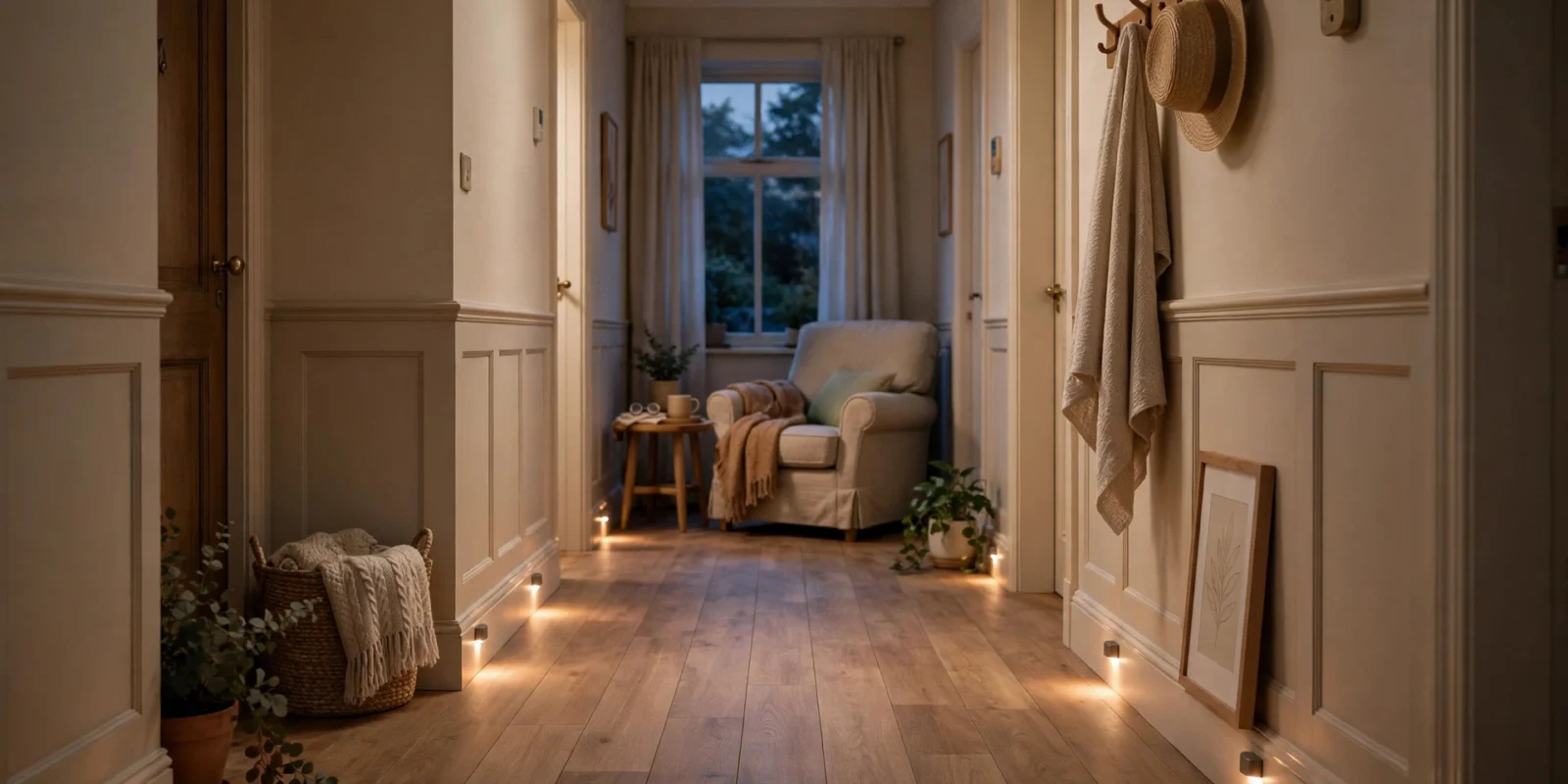
A common real-world pattern is the 2 a.m. bathroom trip: the hallway is dark, the older person does not want to wake anyone, so they shuffle through the dark — and that is where a large share of household falls begin. A motion-activated light that turns itself on when it senses movement costs very little, asks nothing of the person, and works every night. That is the philosophy behind the best senior smart home technology: quiet, automatic help that preserves dignity.
Adoption is accelerating: AARP’s 2026 survey found smart home ownership among adults 50-plus rose from 10% in 2019 to 27% in 2025, while home safety device ownership jumped from 19% to 34% in a single year. Two-thirds now agree technology makes aging in place easier. AARP Research Insights on Technology
Imagine this clearly labelled scenario: your 78-year-old mother lives alone and has started rushing to the door because she cannot see who is there. A video doorbell lets her see and speak to visitors from her chair; a keypad lock means she never hurries with keys again. Nothing about her routine changes — except the risky parts quietly disappear.
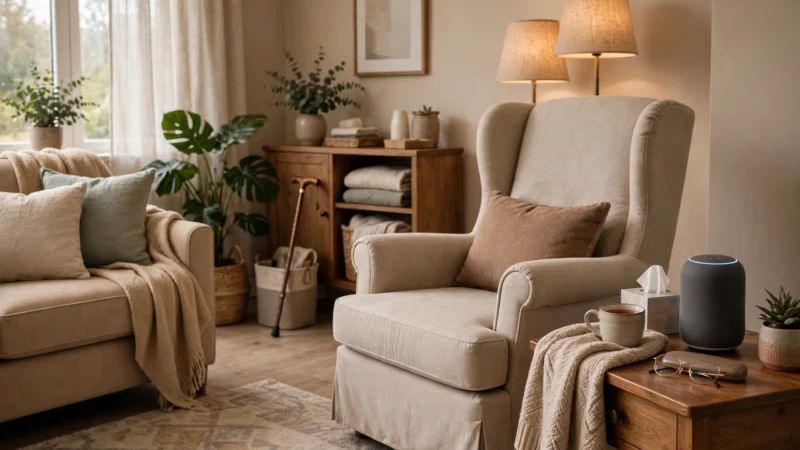
[Owner note: a genuine photo of a real senior-friendly home setup — for example, motion lights along a hallway or a voice assistant on a bedside table — would strengthen this section enormously.]
If you are planning a full setup from scratch, our 2026 starter guide for a senior-friendly smart home walks through the foundations — reliable Wi-Fi, one voice platform, and the order to add things in.
Start With Your Voice: The Simplest Smart Home Upgrade
If you buy only one thing, make it a voice assistant. AARP’s 2026 research found that 35% of adults over 50 now own a home assistant, and AARP’s smart home guide describes the smart speaker as the potential “command centre” of the home — the thing that lets an older person control lights, thermostats, and other devices without touching a single small button or screen.
What voice assistants actually do for older adults
Voice control removes the two biggest physical barriers in home technology: tiny buttons and tiny screens. With a spoken command, a senior can turn lights on and off, set kitchen timers, hear the weather, play music or radio, set reminders for appointments, and make hands-free calls to family. For someone with arthritis, tremor, or low vision, that shift — from fiddling to simply asking — is the difference between a device that gets used and one that gathers dust. AARP: 16 ways tech can make life easier for older people
A familiar pattern: scepticism on day one, checking the weather on day three, and setting medication reminders and calling grandchildren by the end of the month. Voice is the lowest-friction interface ever designed for people who never grew up with smartphones.
Setting it up for a low-tech user
Put the speaker in the room where the person spends most of their time — usually the living room or kitchen. Set it up yourself, connect it to Wi-Fi, and link the devices it will control. Then teach exactly three commands: turning lights on and off, setting a timer, and calling you. Write them on a card in large print and leave it by the speaker. Resist demonstrating twenty features on day one; that is how devices end up unplugged.
Fall Detection and Emergency Help: What These Devices Can and Can’t Do
Fall detection is the category families ask about most, and the one that needs the most honest framing. These devices genuinely save lives — but none of them is perfect, and understanding their limits is part of using them safely.
How fall detection works
AARP’s smart home guide describes fall detectors as products combining wall-mounted sensors with wearable devices such as wristbands or pendants. When the system determines a fall has occurred, it can call for help automatically and alert a caregiver. Some are dedicated medical-alert systems with 24/7 professional monitoring centres; others are features built into smartwatches that can contact emergency services and notify chosen contacts when a hard fall is detected and the wearer does not respond.
The crucial detail is the one families most often miss: a wearable only protects a person who is actually wearing it, with the battery charged. A pendant left on the bedside table during the night-time bathroom trip — the highest-risk moment of the day — protects no one. Wall-mounted or room-based sensors have the opposite trade-off: nothing to wear or charge, but they only cover the rooms they are installed in. Many households sensibly combine both. AARP: 16 ways tech can make life easier for older people
What these devices can’t do
Be straight about the limits. Fall detection can miss slow slides and trigger false alarms, and no device replaces a personal emergency plan: who gets called, in what order, and what happens if the internet or power is down. If a fall involves a head injury, loss of consciousness, or the person cannot get up, contact emergency services directly — a device backs up that judgement, it does not replace it. Discuss the choice with the older person’s doctor or pharmacist, particularly where medications affect balance.
Choosing between a watch, a pendant, and room sensors
Match the device to the person’s habits. An active senior who already wears a watch daily suits a smartwatch with fall detection; a gadget-sceptic may do better with a simple pendant with one big button — provided they will actually wear it. For someone with cognitive decline who may remove wearables, room-based sensors needing no cooperation are often most reliable. There is no universally best choice, only the choice the individual will live with.
Lighting That Prevents Night-Time Falls
Ask a falls-prevention specialist for the cheapest high-impact upgrade in an older person’s home and you will hear the same answer: light the path. Poor lighting is one of the most consistent contributors to household falls, and one of the easiest to fix with smart technology.
Motion-activated path lighting
The principle is simple: lights that turn themselves on when they sense movement, along the routes a person actually walks at night — bedroom to bathroom, bedroom to kitchen, top and bottom of stairs. AARP lists smart lights that activate on detected movement among the most practical devices for older people, noting they can be programmed to switch on when someone gets up at night. UK guidance says the same in plainer language: East Sussex’s falls service advises installing motion-activated night lights, and Age UK recommends motion-sensor nightlights in bedrooms, hallways, and bathrooms to reduce the risk of tripping in the dark. AARP: 16 ways tech can make life easier | Age UK: 7 ways to reduce falls at home
Start with plug-in motion-sensor night lights — no wiring, no electrician, no app required, genuinely installable in five minutes. Battery versions exist for spots without a nearby socket.
Voice and app-controlled lighting for daily life
Beyond night lights, smart bulbs and switches let an older person control room lighting by voice or phone — a real help for anyone who cannot easily cross a dark room to reach a switch. Timers add another quiet layer: hallway lights that come on at dusk, a porch light before the evening carer arrives. Keep one ordinary wall switch working alongside the smart controls, so lights still work normally if the internet drops.
A calmer, safer bedroom at night
The bedroom deserves special attention. A voice-controlled bedside lamp means no fumbling for a switch in the dark, and a motion light under the bed frame casts a soft pool of light where feet land. Poor sleep also worsens balance the next day, so the whole sleep environment matters — our complete guide to sleep health covers the non-tech foundations, and some readers find weighted blankets help them settle at night.
Safer Entry: Smart Locks and Video Doorbells
Rushing to answer the door is a classic fall scenario — hurrying across the room, possibly with a walker, to reach the bell in time. For older people living alone, opening the door to a stranger carries real anxiety too. Two devices address both problems at once.
Video doorbells: answer from your chair
A video doorbell combines a small camera, microphone, and speaker, letting the resident see and speak to whoever is at the door through a phone or smart display — without getting up. AARP’s guide highlights exactly this benefit: the person at the door doesn’t see you and won’t know if you’re home. For an older adult, that means no more rushing, no more opening the door to check, and the ability to tell a delivery driver to leave a parcel or ask an unexpected caller to come back later, all from the armchair. AARP: 16 ways tech can make life easier
Pair the doorbell with a smart display or a chime the person can actually hear. A doorbell that only pings a smartphone in another room has solved nothing.
Smart locks: keys, codes, and peace of mind
Smart locks let doors be locked and unlocked remotely or with a keypad code — a genuine help for arthritic hands that struggle with small keys. For families, the bigger benefit is managed access: unique codes for a carer, cleaner, or relative, so everyone can come and go without spare keys floating around. AARP notes this use for households where a loved one with dementia may wander, since comings and goings can be monitored. AARP: 16 ways tech can make life easier
Always keep a backup way in: a physical key with a trusted neighbour, a memorised keypad code, or both. Electronic locks need batteries, and a dead lock with no backup is worse than the old-fashioned kind.
Kitchen, Bathroom and Whole-Home Sensors
Some of the most valuable smart home devices for seniors are the ones nobody ever interacts with: they sit quietly in the background and only make themselves known when something is wrong.
Kitchen fire safety: the stove problem
The cooker is arguably the highest-risk appliance in an older person’s home: a burner left on, a pan forgotten, a tea towel too close to the flame. Smart stove monitors can alert a caregiver — and in some setups let a caregiver shut an oven off remotely — when a hob has been left on too long. Smart smoke and carbon monoxide detectors push notifications to a caregiver’s phone as well as sounding in the home, so help can be summoned even when the resident cannot act. AARP: 16 ways tech can make life easier
Water, air, and temperature
Smart water sensors near sinks, toilets, washing machines, and water heaters detect leaks early, before a small drip becomes a flooded — and slippery — floor; some shut off the water automatically. Smart thermostats learn household preferences and can be monitored remotely by a caregiver — useful for comfort and for noticing if heating is off in winter, a genuine health risk for older adults. The energy savings are real too, fitting an energy-conscious approach to running the home.
Gentle activity monitoring that respects dignity
Activity sensors — small motion or contact sensors on doors, beds, and chairs — let caregivers notice changes in daily patterns, such as a chair occupied for too many hours. The value, as AARP’s research lead has noted, is in behavioural patterns that alert a caregiver when something seems off — not watching a person live their life. Discuss openly what is monitored and who sees it, keep cameras out of bedrooms and bathrooms entirely, and revisit the agreement regularly. Dignity keeps the system accepted — and a system that gets unplugged helps no one. AARP Research Insights on Technology
Medication Reminders and Daily Routine Support
Medication mismanagement — missed doses, double doses, wrong times — is one of the quietest risks in independent living, and simple automation helps enormously.
Automated medication dispensers
Smart medication dispensers release the right dose at the right time and alert the person with a sound or light. Many connect to a phone app so a caregiver can confirm doses were actually dispensed — far more reliable than asking “did you take your tablets?” AARP lists these among the core devices families consider for aging in place. For complex regimens, discuss the choice with the person’s pharmacist, who can advise which medicines suit automated dispensing. AARP: 16 ways tech can make life easier
Voice reminders for the rhythm of the day
Not every routine needs a dedicated device. A voice assistant can announce reminders — “time for your morning tablets,” “the carer arrives at ten” — which many older people find less intrusive than alarms. Restraint matters: five well-chosen daily reminders beat twenty that get tuned out. Set them up together with the older person so the timing and wording feel like theirs, not imposed.
Staying Connected and Keeping It Simple
Safety devices protect the body; connection protects everything else. Loneliness carries its own serious health risks for older adults, and technology’s most underrated contribution to aging in place may be keeping people socially plugged in.
Video calls without the fiddling
AARP found 78% of older adults rely on technology to stay connected with family and friends. Smart TVs and smart displays can host video calls — and even telehealth appointments — on a big screen with no tiny buttons involved. A weekly video call with grandchildren on the television, started by voice command, is the kind of setup that actually sticks. AARP Research Insights on Technology
The one-ecosystem rule
Here is the rule that determines whether a senior smart home succeeds or fails: everything in one ecosystem, controlled one way. One voice platform, one app, one account. The moment a household has three different apps — each with its own login and quirks — the older person stops using all of them. Choose a single platform family and stay inside it. Coherence beats optimisation.
Have the conversation first
Technology installed around an older person, without their genuine agreement, tends to get unplugged or “accidentally” switched off. Start with a conversation, not a shopping cart: what worries you about living alone? What would make daily life easier? Introduce devices gradually, one or two at a time, and agree explicitly on who can see what. AARP’s research shows privacy is the biggest barrier to tech adoption among older adults — treating it as a design requirement is what makes the whole project work. AARP Research Insights on Technology
What Recent Research Shows
The most current large-scale picture comes from AARP’s 2026 Tech Trends survey of adults 50-plus. Home safety device ownership nearly doubled in a single year, from 19% in 2024 to 34% in 2025 — this category is moving into the mainstream. More than half of caregivers (55%) now use at least one form of technology to coordinate care. The barriers are well mapped: data privacy (25%), set-up and support (18%), cost (18%), and ease of use (14%) — and nearly three-quarters of older adults want tech support services designed for them. The market is shifting from “convince seniors tech is good” to “make tech genuinely usable.” AARP Research Insights on Technology
Common Mistakes to Avoid
1. Buying gadgets before defining the problem. Start with a needs list, not a shopping list. Is the real worry night-time falls, missed medication, loneliness, or rushing to the door? Write down the two or three actual problems first, then match devices to them.
2. Building a three-ecosystem mess. A light from one brand, a lock from another, a doorbell from a third — each with its own app and login. Pick one platform and stay in it.
3. Putting cameras where they don’t belong. Cameras at the front door are sensible. Cameras in bedrooms and bathrooms are a dignity violation that will — rightly — destroy trust in the whole system. Use motion and activity sensors for indoor safety monitoring instead.
4. Relying on a single device for emergencies. A fall detector with a dead battery, or a smart alert that needs Wi-Fi during an outage, is not a safety plan. Layer devices, keep a charged phone or traditional pendant as backup, and make sure everyone knows what to do when the tech fails.
5. Installing technology around the person instead of with them. Surprise installations breed resentment and unplugged devices. Every device should be chosen with the older person’s agreement and introduced gradually. Their home, their rules.
6. Setting it up once and never maintaining it. Batteries die, apps log out after updates, and notification settings silently change. Put a quarterly reminder in your calendar to test alerts, check batteries, and confirm everything still works.
Final Recommendations
- Start with voice control. A single voice assistant in the main living space is the highest-value first purchase: it controls everything else and needs no buttons or screens.
- Light the night-time paths next. Motion-activated lighting along bedroom-to-bathroom routes is cheap, needs no cooperation from the user, and directly targets the most common fall scenario.
- Choose fall detection that fits the person’s habits. A daily watch-wearer suits a smartwatch; a gadget-sceptic suits a simple pendant; cognitive decline may call for room-based sensors. The best device is the one that stays in use.
- Add entry safety early. A video doorbell plus a keypad smart lock eliminates rushing to the door and fumbling with keys — two everyday risks with one fix.
- Keep everything in one ecosystem. One voice platform, one app, one login. Simplicity is a safety feature.
- Agree privacy rules with the family first. Decide what is monitored, who sees alerts, and where cameras never go — before installing anything.
- Plan for outages. Keep a physical key with a trusted neighbour, a charged backup phone or traditional alert pendant, and manual controls for lights and locks.
- Review the setup together every few months. Needs change and devices age; the system should evolve with the person using it.
This content is for educational purposes only and does not replace professional medical advice. Always consult a qualified healthcare professional before making health or safety decisions for yourself or a loved one.
Frequently Asked Questions
A voice assistant (smart speaker) is the best starting point for most households. It is affordable, needs no buttons or screens, and becomes the control centre for everything added later — lights, reminders, calls, and timers. AARP's 2026 research found 35% of adults over 50 already own one. Set it up yourself, teach three commands to begin with, and add more only once those feel automatic.
A starter setup — a voice assistant plus several motion-activated night lights — costs less than a typical weekly grocery shop, since plug-in motion lights need no wiring or professional installation. A video doorbell, smart lock, and fall detection device cost more, and monitored medical alert systems usually charge a monthly fee. Start with the highest-impact basics (voice and lighting), then add safety devices in priority order rather than buying everything at once.
They help, but with real limits you should understand. Wearable fall detectors and room-based sensors can detect many falls and summon help automatically, and AARP notes they can alert both emergency responders and caregivers. But they can miss slow falls and trigger false alarms, and a wearable only protects someone wearing it with a charged battery. Treat fall detection as one layer of a safety plan — alongside good lighting and a backup way to call for help — not a guarantee.
Most devices work fine on ordinary home broadband; they use very little data. What matters more is reliable Wi-Fi coverage in every room, since a sensor that cannot reach the network cannot send alerts. A mesh Wi-Fi system or a better-placed router usually fixes patchy coverage. Also plan for outages: keep manual controls for lights and locks, and a backup way to call for help that does not depend on broadband.
Start with placement rules: cameras belong at entries and exteriors, never in bedrooms or bathrooms — use motion or activity sensors indoors instead. Choose platforms with clear privacy policies, use strong unique passwords and two-factor authentication on the accounts, and review who has app access regularly. Most importantly, agree openly with your parent and family about what is monitored and who sees alerts. AARP's research found privacy is the top barrier to tech adoption among older adults, so treating it as a design requirement keeps the system trusted and in use.
Voice assistants, plug-in motion lights, video doorbells, and most smart locks are designed for DIY installation and take under an hour each. Get professional help for anything involving mains wiring or gas appliances, and for households where the family cannot provide ongoing tech support. AARP found nearly three-quarters of adults over 50 want tech support designed for them — a correctly set-up system beats an ambitious one that half-works.
Most mains-powered smart devices stop working without electricity, and internet-dependent features fail if the broadband goes down too. Battery-powered sensors and devices with cellular backup keep working longer, but nothing works forever without power. So every safety-critical function needs a non-smart backup: a physical key for the lock, a charged mobile phone or traditional pendant alarm for emergencies, and ordinary switches or torches for light. Plan the backup first, then add the smart layer on top.
Conclusion
A senior-friendly smart home is not about filling a house with gadgets. It is about removing, one by one, the small daily risks that threaten an older person’s independence: the dark hallway at 2 a.m., the rushed trip to the front door, the forgotten stove burner, the fall nobody knows about for hours. Each device in this guide earns its place by quietly handling one of those risks while asking almost nothing in return.
The direction of travel is right: more than one in four older adults fall each year, yet three-quarters want to keep living in their own homes, and smart home adoption among the over-50s has nearly tripled since 2019. The technology has matured from novelty to genuine infrastructure for independent living.
But technology is only half the project. The other half is human: choosing devices with the older person, introducing them gradually, protecting their privacy, keeping one simple system, and maintaining it together. Do that, and the smart home becomes what it should be — invisible support for a life lived on their own terms, in the home they love.
Start this week with the two highest-impact steps: a voice assistant in the main room, and motion-activated lights along the night-time routes. Everything else can follow, one calm upgrade at a time.
References
- AARP Research Insights on Technology — 2026 Tech Trends and Adults 50-Plus — AARP — 2026 — https://www.aarp.org/pri/topics/technology/internet-media-devices/aarp-research-insights-technology/
- Smart Home Guide: 16 Ways Tech Can Make Life Easier for Older People — AARP Bulletin — AARP — 2024 — https://Www.Aarp.org/publications/bulletins/aarp-bulletin-november-2024/page8/
- Patient & Caregiver Resources — STEADI Older Adult Fall Prevention — Centers for Disease Control and Prevention — 2026 — https://www.cdc.gov/steadi/patient-resources/
- Reduce your risk of falls — East Sussex County Council — 2026 — https://www.eastsussex.gov.uk/social-care/health-advice/falls-guide
- 7 Effective Ways to Reduce the Risk of Falls at Home — Age UK — 2026 — https://www.ageuk.org.uk/hythelymingeashford/about-us/news/7-effective-ways-to-reduce-the-risk-of-falls-at-home2/