Written by Md Masud Rana based on published expert sources. This article has not been professionally reviewed. See our sources below.
Picture the scene. The doorbell rings at your mum’s house while she is in the back garden, or your dad is halfway up the stairs and cannot reach the door quickly. By the time either of them gets there, the visitor has gone — or worse, they have rushed and tripped trying to answer in time. A video doorbell for seniors is built for this moment: it lets the person inside see who is there, speak to them, and decide whether to open the door, all without hurrying across the house.
That sounds simple, and the idea is. The trouble starts in the shop, where every doorbell claims to be easy and perfect for everyone. Most were designed for people who are comfortable with smartphones, apps, and monthly subscriptions. Many older adults are not — and that is not a failing, it is a design problem. The right doorbell works around it.
This guide covers what matters: a chime loud enough to hear from the kitchen, a picture big enough to see clearly, a way to answer without a phone, and honest answers about subscriptions and privacy. You will also find a setup plan for installing one for a parent, what UK law says about filming beyond your front door, and the mistakes families most often make.
Quick answer: A good video doorbell for seniors rings loud enough to hear from another room, shows the visitor on a large screen or a simple indoor monitor, and lets the person answer with two-way talk without opening the door. Battery models suit homes with no doorbell wiring; wired models never need charging. Most doorbells work without a subscription for live viewing, but saving video clips to watch later usually needs a paid plan — or a model with local storage.
Contents
- What Makes a Video Doorbell Good for Seniors?
- Wired or Battery: Which Power Setup Suits an Older Home?
- Do Seniors Need a Smartphone to Use a Video Doorbell?
- Can a Video Doorbell Work Without a Monthly Subscription?
- The Main Video Doorbell Options for Seniors in 2026
- How to Set Up a Video Doorbell for an Older Parent
- Privacy, Neighbours and the Law
- What Recent Research Shows
- Common Mistakes to Avoid
- Final Recommendations
- Frequently Asked Questions
- Conclusion
What Makes a Video Doorbell Good for Seniors?
A plain video doorbell is not automatically a senior-friendly one. The difference is whether it fits how an older person lives: how well they hear, how steadily they move, and how comfortable they are with a phone.
A chime you can hear from the kitchen
The most important feature has nothing to do with video. It is the sound. A push notification on a phone in another room is easy to miss, and many older adults do not carry a phone around the house. What works is a loud indoor chime — a plug-in unit in the hallway, or a smart speaker in the kitchen that announces the visitor out loud. Some doorbells include a chime in the box: the Arlo 2K (2nd Gen) ships with the Arlo Chime 2, which SmartHomePerfected reports can reach over 80 decibels. For doorbells that do not, a smart speaker the household already owns can announce the visitor, and an Echo Show or Nest Hub shows the video too. If the house has no smart speaker, budget for a plug-in chime from the start: it is the alert itself, not an optional extra.
A picture big enough to recognise a face
Recognising a visitor means seeing a face clearly, and that takes a screen big enough to show it. A 1080p picture is enough for this job; the jump to 2K helps when zooming in on a face at the gate, but it is not the deciding factor. Far more important is where the picture appears. A small phone screen held at arm’s length is hard work for anyone with reduced vision. A smart display on the kitchen counter, or a dedicated indoor monitor, changes the experience — the visitor appears on a TV-sized screen, without anyone having to unlock anything. Also look for a head-to-toe view: a tall, narrow picture showing the visitor’s face and a parcel on the ground in the same frame. The Golden Stride points out that this matters more than raw resolution.
Two-way talk, and a way to answer without talking
Two-way talk — speaking to the visitor through the doorbell’s speaker — stops an older person having to open the door to a stranger. It lets them say “please leave it by the door” from the safety of the hallway. Every mainstream doorbell offers it, but quality varies, so test it on the first day rather than assuming it works. Just as useful is the quick-response feature: preset replies such as “please leave the parcel” that can be sent with one tap. Finally, match the doorbell to the house: an Echo household suits Ring, a Google household suits Nest. And check who will help when something goes wrong — a doorbell only the adult child understands is fine, as long as that child is available to be the support line.
Wired or Battery: Which Power Setup Suits an Older Home?
This is the first decision to make, and it matters more than the brand. It decides whether anyone has to climb a ladder, remember a charging schedule, or call an electrician — and for an older household, that determines whether the doorbell keeps working or quietly dies on the wall.
If the home already has doorbell wiring, use it
Many houses already have low-voltage doorbell wiring behind the front door, even if the old bell stopped working years ago. A wired doorbell draws constant power from those wires, so there is nothing to recharge, ever. That is the single biggest advantage for a senior household: the doorbell works, month after month, with no maintenance routine to remember. The catch is installation: if the transformer — the small box, usually in a cupboard or near the fuse box — is too old or the wrong rating, it may need replacing by a qualified electrician. SimpleSmartHome advises checking the transformer against the manufacturer’s listed range first, and having a qualified person do the work if you are unsure. Never work on mains wiring yourself unless you are qualified to do so.
If there is no wiring, a battery model is the honest answer
Battery doorbells need no wiring at all, which makes them right for older houses without a bell circuit, for flats, and for rented homes. Installation is usually a few screws, and it takes minutes. The trade-off is charging: every few months, someone has to take the battery out, charge it, and put it back. That someone is the important part. As The Golden Stride puts it plainly, batteries mean someone has to climb up and swap or recharge them every few months, and that someone probably is not a 78-year-old parent. If an adult child visits regularly, a battery model is perfectly workable. If the parent lives alone and nobody visits often, a battery doorbell will eventually go flat — and a flat doorbell is worse than no doorbell at all, because the household believes it is protected when it is not. Look for models with a quick-release battery pack that charges at the kitchen table, and set a calendar reminder for whoever is responsible. Several models offer both: battery out of the box, with the option to wire in later for trickle charging.
Do Seniors Need a Smartphone to Use a Video Doorbell?
No — not if the setup is planned properly. A smartphone is needed for setup and for the family member who manages the doorbell. The older person at home does not need one at all.
The smart display setup: the parent sees, the child manages
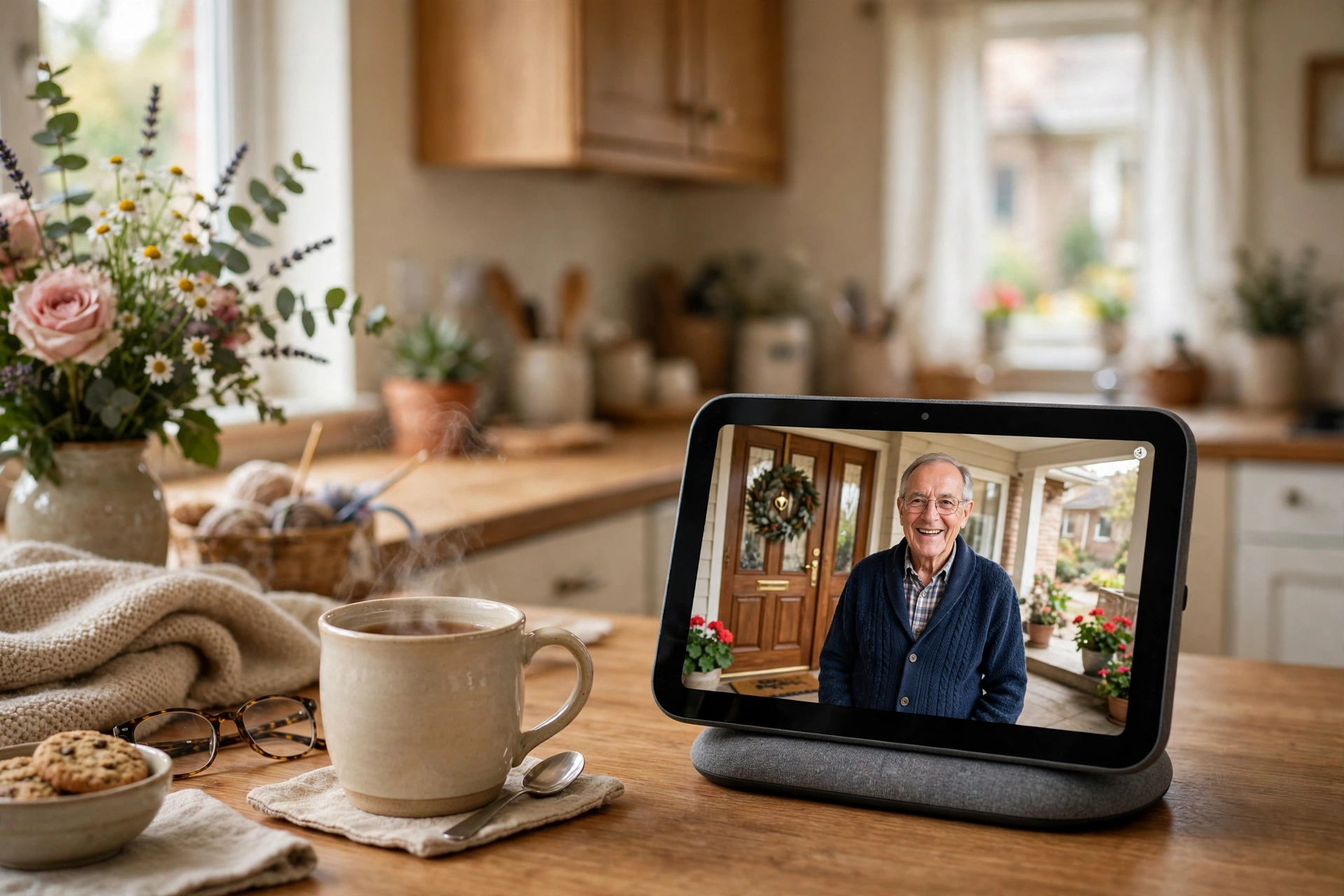
The arrangement that works best in most families is a split. The adult child installs the doorbell during a visit, sets up the app on their own phone, and pairs the doorbell with a smart display already in the parent’s home — an Echo Show on the kitchen counter, or a Google Nest Hub on a side table. When someone rings, the display lights up with the live video and the chime sounds through its speaker. The parent looks at the screen, taps one button to answer, and speaks. There is no phone to unlock, no app to find, and nothing to remember. The Golden Stride describes it as the setup worth aiming for: the parent interacts with hardware they already use, the adult child gets the notifications, and nobody has to teach anyone a new app. Our guide to smart speakers for seniors explains which displays suit older users.
Indoor monitors, and the one in five without a smartphone
Some doorbells ship with a dedicated indoor monitor — a small screen that sits on a shelf and works like a video intercom. One touch answers the door, and some of these systems work without home Wi-Fi at all, which makes them the right choice for a home with no broadband or a parent who wants nothing to do with apps. The trade-off is no remote viewing for the family and no saved recordings. The numbers explain why this matters: Pew Research Center data from 2025 shows that 78% of Americans aged 65 and over own a smartphone — which also means more than one in five do not, and ownership is lower still among adults aged 80 and over. Designing a doorbell setup that assumes a smartphone in the resident’s pocket excludes a large minority of the people it is meant to help.
Can a Video Doorbell Work Without a Monthly Subscription?
Yes — but what “work” means depends on the brand. Almost every mainstream doorbell gives you the basics for free: live view when someone rings, real-time motion alerts, and two-way talk. Ring states on its own blog that every Ring device includes live view, real-time motion alerts, two-way talk, customisable motion zones, and Alexa integration with no monthly cost. What it does not give you is a recording to look back at: without a plan, a Ring doorbell saves no video at all.
Other brands are more generous. Google’s Nest Doorbell includes up to three hours of free event video history and can tell a person, package, animal or vehicle apart without a subscription, according to SmartHomePerfected’s comparison of the current models. Arlo’s 2K doorbell offers basic live streaming and motion alerts without a plan, and eufy’s C31 lists no monthly fee for its main alerts, with recordings stored locally.
The way to avoid a subscription entirely is local storage — recordings kept on a memory card or a small hub inside the home, instead of on the manufacturer’s servers. The trade-off: if someone steals the doorbell or the hub, the recordings go with it. Ask one question before buying: does anyone need to look back at what happened? If the adult child wants to check when the home carer arrived, video history is the whole point of the purchase and a subscription is worth paying for. Ring’s plans start at $4.99 a month for one device in the US, and a free 30-day trial comes with a new device. If nobody will ever look back, skip the plan and choose a model with local storage.
The Main Video Doorbell Options for Seniors in 2026
There is no single best video doorbell for seniors, because the right choice depends on what the house already has and who will manage it. What follows is not a ranking — it is a guide to which type fits which situation. Models change every year, so verify the features on the current listing before you buy.
For an Alexa household: Ring
Ring is the most straightforward choice for a household with an Echo speaker or Echo Show, because the doorbell, the chime, and the screen all come from the same system. Battery models pair with an Echo Dot for loud announcements; wired models never need charging. The honest trade-off is the subscription: without a Ring Protect plan there is no video history at all, so if reviewing clips matters, budget for the plan from the start.
For a Google household: Nest
The Google Nest Doorbell is the natural fit for a home running Google Home, a Nest Hub, or Chromecast. Its most senior-friendly feature is generosity in the free tier: three hours of event video history without a subscription, and person, package, animal and vehicle detection at no extra cost. The trade-off is that longer history needs a paid Google Home Premium plan, and the doorbell cannot record continuously even with one.
For no monthly fee: eufy or Arlo
If the idea of a monthly bill is the main objection, look at eufy and Arlo. eufy’s battery models store recordings locally and list no monthly fee for their main alerts, with a quick-release battery that charges at the kitchen table and a ring that appears on the phone like an ordinary video call. Arlo’s 2K doorbell includes a plug-in chime in the box, and its basic live streaming and motion alerts work without a subscription.
| Situation | Doorbell type | Why it fits | Watch out for |
|---|---|---|---|
| Alexa household, no wiring | Ring Battery Doorbell | Echo Show displays the visitor; Echo Dot announces loudly | No video history without a Ring Protect plan |
| Google household | Google Nest Doorbell (Battery) | 3 hours of free event history; smart alerts without a plan | Longer history needs a paid plan; no continuous recording |
| No monthly fee wanted | eufy battery doorbell | Local storage; no subscription for main alerts | Chime and hub sold separately on some models |
| Wiring already in place | Arlo 2K (2nd Gen) or Ring Wired | Chime included with Arlo; nothing to recharge | Check the transformer rating before installing |
| Apple-only household | Logitech Circle View | Local storage via HomeKit; no monthly fee | Needs an Apple hub (iPad, HomePod or Apple TV) |
| No smartphone, no Wi-Fi | Doorbell with indoor monitor | One-button answering; works without an app | No remote viewing or saved clips for family |
How to Set Up a Video Doorbell for an Older Parent
Buying the doorbell is the easy part. Setting it up so it gets used is where most families succeed or fail — and the difference is usually whether the adult child did the fiddly work during a visit, instead of leaving a box and a manual on the kitchen table.
Test the Wi-Fi at the front door first. Before buying anything, stand at the front door with a phone and check the signal. A weak signal means delayed alerts and a frozen live view. A Wi-Fi extender halfway between the router and the door usually fixes it.
Mount it at the right height. Around 120 cm from the ground is the usual guidance, so the camera sees faces rather than the tops of heads. Angle it toward the path people walk, not the street. If the home is rented, use a no-drill mount and check the tenancy agreement first.
Set up the app on your phone, not theirs. Create the account and install the app on the adult child’s phone. Add the parent’s smart display or indoor monitor, and test the whole chain: press the bell, watch the display light up, and answer it from the display. Then set up shared access so siblings can also see alerts, and agree openly with the parent about who can see the feed and why.
Tune the alerts together, on the first day. Out of the box, most doorbells alert about everything: every car, every cat, every branch moving in the wind. Sit with the parent and narrow the motion zones to the path and doorstep only, turn on person detection if the model offers it, and pick a chime sound and volume they can actually hear. A doorbell that cries wolf ten times a day gets its notifications switched off — and a switched-off doorbell protects nobody.
Leave a simple instruction card, and put charging on a calendar. Write a short card, in large print: “When the doorbell rings, look at the screen. Press the green button to talk. You do not have to open the door.” Add one line for what to do if something looks wrong — “call me” — and the adult child’s number. If the model runs on a battery, decide now who charges it and how often, and put a recurring reminder on that person’s calendar. Our guide to smart home devices for seniors covers the wider setup.
Privacy, Neighbours and the Law
A video doorbell points outward, at a shared world of pavements, neighbours, and delivery drivers. That makes privacy a real part of the decision — and in the UK, it comes with legal duties worth understanding before the doorbell goes on the wall. The rules differ by country, so this section focuses on the UK.
In the UK, a doorbell camera that only records within the boundary of your own property — your front door, your garden, your driveway — is generally treated as a domestic matter, and data protection law does not apply. The moment the camera captures identifiable people beyond that boundary — a neighbour’s garden, a shared path, the pavement — the UK GDPR and the Data Protection Act 2018 do apply. The UK government’s own guidance on domestic CCTV, which explicitly covers video-equipped doorbell devices, sets out the duties that follow: have a clear reason, capture no more than you need, let people know, store footage securely, delete it when no longer needed, and answer requests for footage.
Most of this is common sense once you know it. Aim the camera at your own door and path, and use the doorbell’s privacy zones — blacked-out areas in the picture — to exclude a neighbour’s windows or garden. Turn off audio recording if the household does not need it; the Information Commissioner’s Office regards audio as particularly privacy-intrusive. Put up a small sign saying CCTV is in operation, tell the neighbours what the camera covers, and never share clips on social media: posting footage publicly removes the domestic exemption entirely. There is a second privacy question no law covers: the parent’s own. A doorbell that lets adult children watch the front door from another city can feel like care or like surveillance, depending on how it is introduced. Be direct about who can see the feed and when, and agree it together. If the parent is uncomfortable, a model with an indoor monitor and no remote viewing at all may be the better fit. Our guide to fall detection devices for seniors covers the same consent question in a medical context, and the principle is identical: the person being protected gets a say. Outside the UK, rules vary by country and, in the US, by state — check local rules before installing.
What Recent Research Shows
Older adults are adopting smart home technology faster than the stereotype suggests, but it still fails them too often — usually because of design, not attitude. AARP’s 2026 Tech Trends survey of adults aged 50 and over, fielded in September and October 2025, found that one in four now owns smart home safety or security technology, up from one in ten in 2019, and that home safety devices such as doorbell cameras are among the most popular purchases. The same survey found that 35% of older adults now own a home assistant such as an Echo or Google Nest device — the speakers that make a doorbell senior-friendly. Yet nearly six in ten older adults do not believe today’s technology is designed with them in mind. That is the gap this guide is built around. In 2026, Ring renamed its plans (Basic and Plus are now Solo, Multi, and Pro), 2K video became standard on mid-range models, and more models offer local storage.
Common Mistakes to Avoid
1. Buying for the spec sheet instead of the person. A 4K camera with a phone-only alert is less useful to a hard-of-hearing 80-year-old than a basic model with a loud plug-in chime. Start with hearing, vision, mobility, and comfort with technology.
2. Skipping the Wi-Fi test at the door. A weak signal means delayed alerts and frozen video. Test it before buying, and fix the Wi-Fi first if it is weak.
3. Leaving motion zones at their defaults. The doorbell will alert about every passing car, the parent will stop paying attention, and the one alert that mattered gets ignored too. Narrow the zones to the path and doorstep on day one.
4. Choosing a battery model nobody will charge. A flat doorbell creates a false sense of security. If nobody will charge it, buy a wired model instead.
5. Discovering the subscription only after the trial ends. When the free trial lapses, recordings quietly stop. Decide before buying whether video history matters, and budget for the plan if it does.
6. Installing it as a surprise, or pointing it at the neighbours. A doorbell installed without the parent’s agreement often ends up unplugged — talk about it first. And a camera aimed down the street captures the neighbours’ gardens, which in the UK brings data protection duties.
Final Recommendations
- Start with the person, not the product. Hearing, vision, mobility, and comfort with a phone decide the right doorbell.
- Put the picture on a big screen. A smart display or indoor monitor matters more than camera resolution.
- Make the alert impossible to miss. A loud plug-in chime or a smart speaker announcement. A phone notification alone is not an alert.
- Match the power to the household. Wiring if it exists; a battery model only if someone reliable will charge it.
- Decide about the subscription before you buy. If anyone needs to look back at clips, pay for the plan or choose local storage.
- Install it together, and tune it on day one. Narrow the motion zones, pick a chime the parent can hear, set up shared access, and leave a three-line instruction card.
- Respect privacy — the neighbours’ and the parent’s. Aim the camera at your own property, use privacy zones, tell the neighbours, and agree openly about who can see the feed.
A video doorbell is a small piece of a safer home. Our guide to smart lighting for seniors is a good next step.
This content is for educational purposes only and does not replace professional advice. Always consult a qualified professional before making home security decisions, and a qualified electrician before working with doorbell wiring.
Frequently Asked Questions
One with a loud indoor chime and a big screen, so there is no phone to unlock and no app to open. In practice that means a doorbell paired with a smart display such as an Echo Show or Google Nest Hub, or a model that ships with its own indoor monitor.
No. A smartphone is needed for setup and for the family member who manages the doorbell, but the older person at home does not need one. With a smart display, the visitor appears on screen automatically and one tap answers it.
Yes. Live viewing, motion alerts, and two-way talk are free on almost every mainstream doorbell, including Ring. A subscription usually adds video history, though Google's Nest Doorbell includes three hours free and eufy models store recordings locally with no monthly fee.
Wired is better if the home already has doorbell wiring, because there is nothing to recharge, ever. Battery suits flats and rented homes, but someone has to recharge the battery every few months, so it only works where a family member visits regularly.
In the UK, a camera that only records within your own property boundary is generally a domestic matter. Once it captures identifiable people beyond it, UK GDPR and the Data Protection Act 2018 apply. The government's guidance says you should have a clear reason, capture no more than you need, use a sign, store footage securely, and delete it when no longer needed.
Yes. Every major brand allows shared access, so siblings in different cities can each receive notifications and view the live feed. Set this up during installation, and agree openly with the parent about who can see the doorbell and why.
Do not rely on a phone notification, which is easy to miss from another room. Use a loud plug-in chime in the hallway, a smart speaker in the kitchen that announces the visitor out loud, or a smart display that shows the visitor on a large screen.
Most need Wi-Fi for live viewing, alerts, and cloud recording. A few systems with a dedicated indoor monitor work without Wi-Fi at all. Before buying, test the signal at the front door, because a weak signal causes delayed alerts and frozen video.
Conclusion
A video doorbell for seniors is a small device with an outsized job: it lets someone who moves slowly, hears imperfectly, or simply lives alone answer the front door safely, without rushing and without opening it to a stranger. The mistake is buying the one that looks best on a product page, instead of the one that fits the person using it. The right choice starts with four questions. Can the person hear the alert? Can they see the visitor clearly? Can they answer without a phone, an app, or a password? And who will keep it charged six months from now? Answer those, and the brand almost chooses itself. Then install it together, tune the alerts on day one, agree who can see the feed, and check it still works on every visit.
References
- Ring — Ring Protect Plans Compared: Find Your Best Fit — Ring Blog, 2026 — https://blog.ring.com/home-security/ring-subscription-comparison/
- UK Government — Guidance on the use of domestic CCTV — GOV.UK — https://www.gov.uk/government/publications/guidance-on-the-use-of-domestic-cctv/domestic-cctv-using-cctv-systems-on-your-property
- SmartHomePerfected — Best Video Doorbell for Seniors in 2026: 5 Clear Picks — 2026 — https://www.smarthomeperfected.com/video-doorbell-for-seniors/
- The Golden Stride — Best Video Doorbell for Elderly Parents Over 60 — 2026 — https://thegoldenstride.com/blog/best-video-doorbell-for-elderly-parents-over-60/
- SimpleSmartHome — Best Video Doorbells for Seniors: Picks by Power, Ecosystem, Upkeep — 2026 — https://simplesmarthome.net/best/best-video-doorbell-for-elderly-what-to-look-for-before-you-buy/
- AARP — AARP Research Insights on Technology (2026 Tech Trends and Adults 50-Plus) — 2026 — https://www.aarp.org/pri/topics/technology/internet-media-devices/aarp-research-insights-technology/
- McKnight’s Senior Living — Older adults least likely to own smartphones, use internet ‘almost constantly’ (Pew Research Center, 2025) — https://www.mcknightsseniorliving.com/news/older-adults-least-likely-to-own-smartphones-use-internet-almost-constantly/