By the middle of the afternoon, many home workers know the feeling well. Your eyes feel dry and gritty, a dull headache creeps in, and you catch yourself leaning closer to the screen to dodge a reflection. The chair might get the blame. Often, though, the real culprit is simpler: the light in the room.
Written by Md Masud Rana based on published expert sources. This article has not been professionally reviewed. See our sources below.
Good home office lighting is not about making the room as bright as possible. It is about balance: enough light to read papers and see your keyboard clearly, without glare bouncing off the screen, without a bare bulb in your line of sight, and without a bright monitor floating in a dark room. Get that balance right, and a full working day feels noticeably easier on your eyes.
This guide covers the three layers every home office needs, where to put your desk and lamp, how bright the desk should be, which colour of white light suits daytime focus and evening wind-down, how to light video calls, and how to fix a small or windowless room. Many people start with a single ceiling light and a glowing screen underneath it. That common pattern causes trouble: your body blocks the overhead light, the screen fights a dark background, and you cannot soften the light in the evening. Layering solves all three, and it need not cost much.
Quick Answer Box
Home office lighting works best in three layers: soft ambient light for the whole room, an adjustable task lamp at the desk, and daylight from a side window where possible. Aim for roughly 300 to 500 lux at the desk, use neutral-to-cool white light around 3500K to 4500K for daytime focus, keep bulbs out of your line of sight and off your screen, and put the desk so the window sits to the side of the monitor, never behind it or in front of it. For video calls, add soft light on your face from the front.
Contents
- How do the three layers of home office lighting work?
- Where should your desk and window sit?
- How bright should it be, and what colour white?
- Where should your desk lamp go?
- How do you light video calls properly?
- How do you use natural light without the glare?
- What about small rooms and rooms with no window?
- What recent guidance says about light and eye comfort
- Common mistakes to avoid
- Final recommendations
- Frequently asked questions
How do the three layers of home office lighting work?
Think of home office lighting as three jobs, not one bulb. Each layer does something different, and together they stop your eyes from constantly adjusting between bright and dark patches.
Ambient light: the base layer
Ambient light is the general light that fills the room, usually from a ceiling fixture or a floor lamp that bounces light off the ceiling. Its job is crucial: it stops the screen from being the brightest thing in a dark room. That contrast is a major source of eye strain, because your eyes keep readjusting between the glowing screen and the dim surroundings.
Choose a diffused fixture rather than exposed bulbs. A frosted shade, a diffuser panel, or a lamp that bounces light upward spreads light evenly and keeps hotspots out of your field of view.
Task light: the most important layer
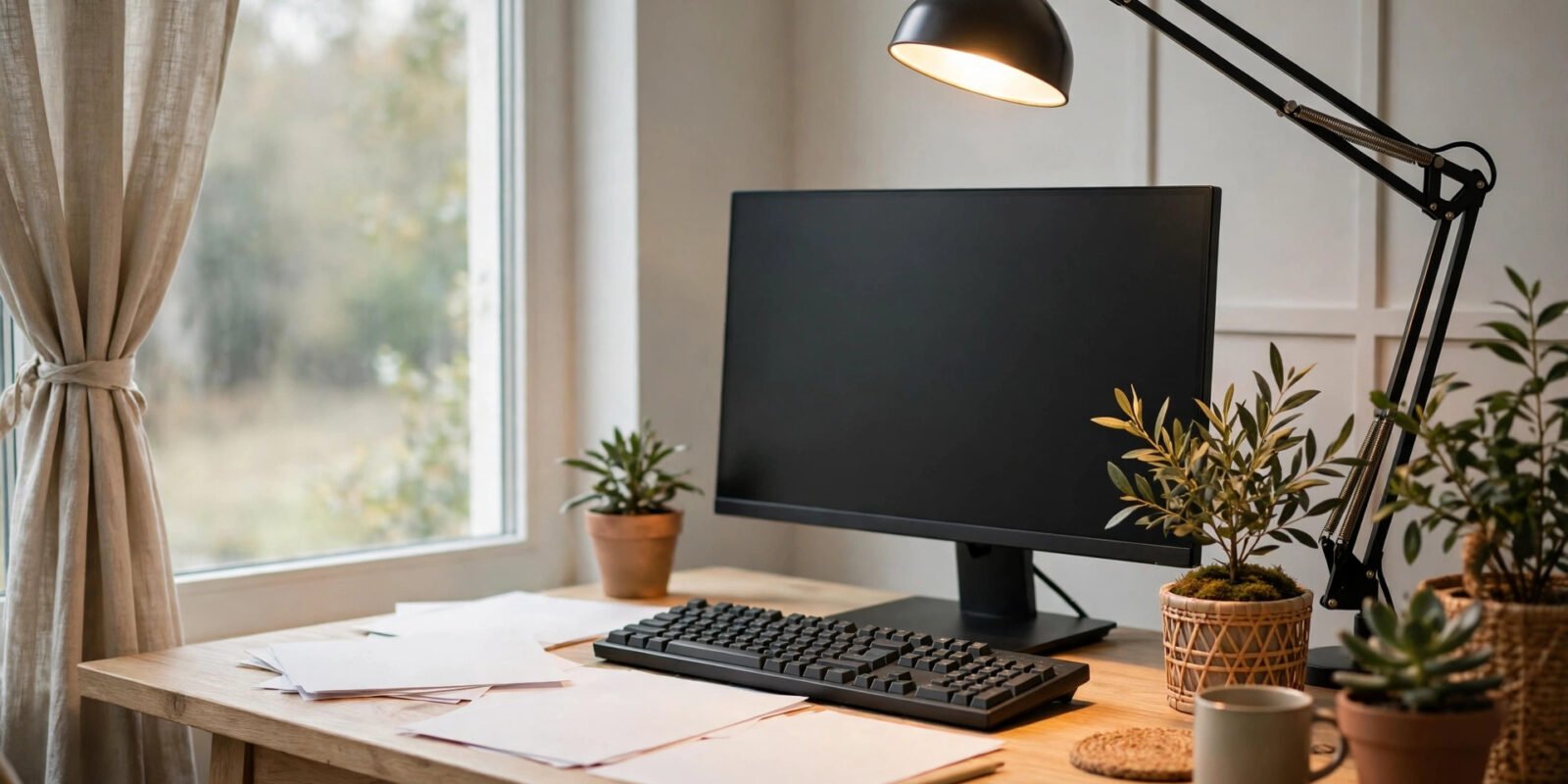
Task light is focused, adjustable light right where the work happens: on your keyboard, papers, and notebook. For most home offices this is an adjustable desk lamp, and if you improve only one thing, this is the one to improve. It lets you read documents without squinting, write notes without casting a shadow with your own hand, and adjust as daylight changes through the day.
The best task lamps are adjustable in two ways: you can move the head to aim the light exactly where you need it, and you can dim it. Dimmable light is worth prioritising over a fancy design.
Accent and bias light: the softening layer
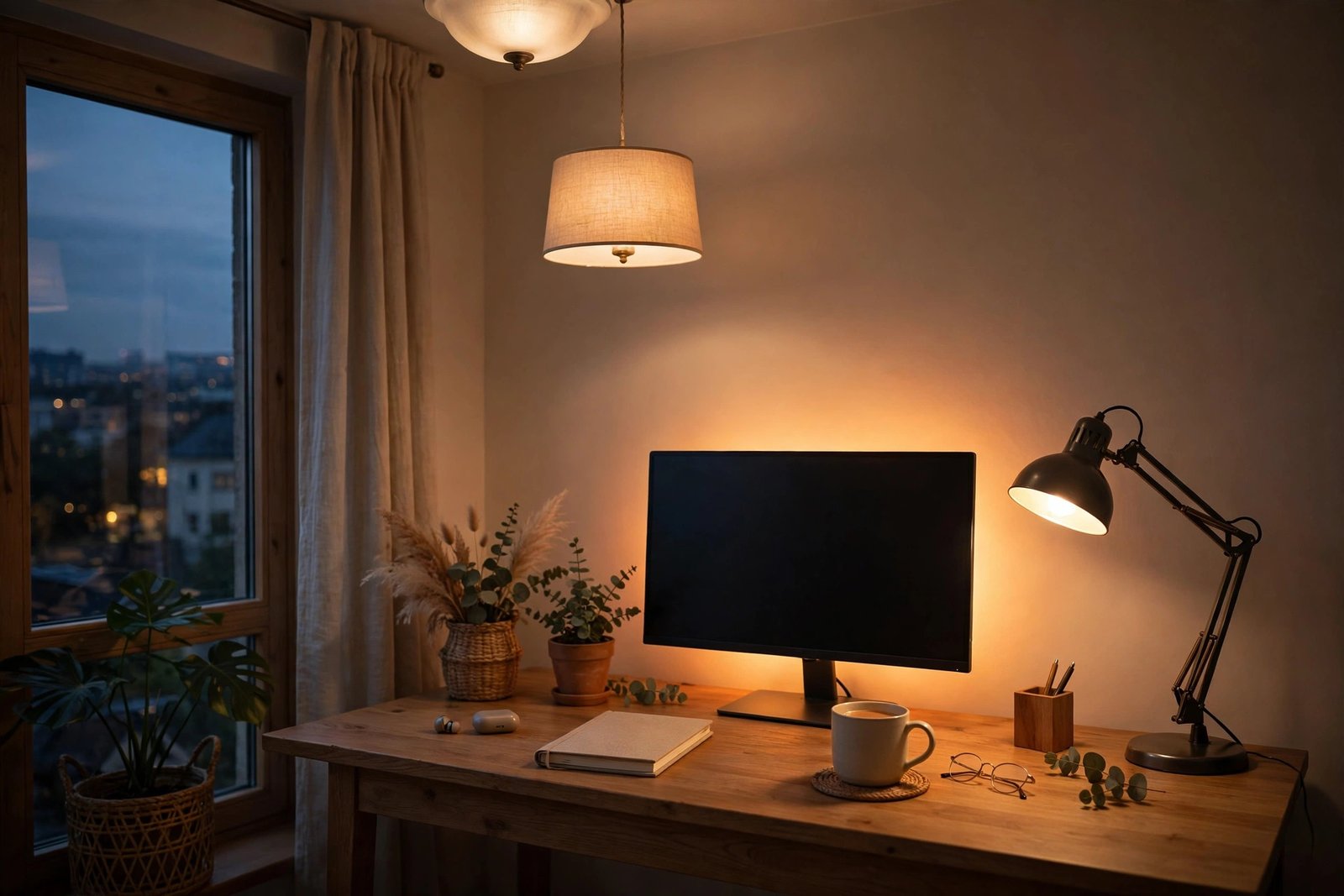
Accent light is the gentle extra that fills shadows and makes the room feel less clinical: a small lamp on a shelf, a wall sconce, or a soft glow behind the monitor. Bias lighting, the soft light placed behind a monitor, narrows the contrast between the bright screen and the wall behind it, which many people find much easier on the eyes in the evening. Keep it low and on its own control, so you can turn the task lamp up for paperwork, dim the room for a call, and warm everything down in the evening without redoing the whole setup.
Where should your desk and window sit?
Desk position matters more than most people expect, and it costs nothing to get right. The single most important rule, repeated in workplace guidance, is to place the screen at right angles to windows and light sources. In plain terms, the window should be to the side of your desk, not behind the screen and not behind you.
Why the side position wins
A window behind your monitor turns the screen into a dark shape against bright glare, and your eyes struggle to read it. A window facing you, behind the screen, shines straight into your eyes and washes the display out. A side window gives you daylight without either problem. The US Occupational Safety and Health Administration (OSHA) puts it directly: place the face of the display screen at right angles to windows and light sources, and position task lighting so the light does not reflect on the screen, as explained in OSHA’s computer workstations guidance on the workstation environment.
The same guidance warns that bright lights shining on the display screen wash out images, making work harder to see, and that straining to view the screen can lead to eye fatigue. It also recommends well-distributed, diffuse light for computer work, because diffuse light creates fewer hotspots and softer contrasts.
If you cannot move the desk
Not every room allows the ideal layout, and that is fine. If the window must stay behind you, use blinds or a sheer curtain to cut the brightness, and add a soft light in front of you for calls so you are not a silhouette. If the window must face you, a blind you can tilt through the day, plus a monitor tilted slightly downward, will help a lot. OSHA also suggests using blinds or drapes to keep bright light out of your direct field of view, and using light, matte colours on walls and ceilings to reflect indirect light and reduce dark shadows. A glossy white desk or glass top reflects light straight back at you, while a medium-coloured, matte surface is far kinder.
How bright should it be, and what colour white?
Two numbers do most of the work in home office lighting: brightness, measured in lux at the desk, and colour temperature, measured in kelvin (K). Both are easy to use once you know the targets.
Brightness: aim for 300 to 500 lux at the desk
For general office work, a widely used target is roughly 300 to 500 lux at the desk surface, rising toward 500 to 750 lux for detailed work such as fine reading or drawing, as set out in Seus Lighting’s home office lighting guide. That is noticeably brighter than a typical living room, because focused work demands it. Too dim, and your eyes strain to make out detail. Too bright, and you create glare and a different kind of fatigue.
You do not need a meter to get close. In practical terms, a task lamp delivering a few hundred lumens onto the work area, plus ambient light filling the room, usually lands in the right range for a normal-sized desk. If you can read a printed page comfortably without leaning in, and the screen does not look glaringly bright against the room, you are probably close enough. Brighter is not always better: if the room feels harsh, dim the task lamp first and raise the ambient light a little. Evenness beats intensity.
Colour temperature: cooler by day, warmer by evening
Colour temperature describes whether white light looks warm and yellowish or cool and bluish. Lower kelvin numbers look warmer; higher numbers look cooler. For daytime focused work, neutral-to-cool white in the 3500K to 4500K range supports alertness and concentration, according to the same Seus Lighting guide, and 4000K is often picked as the single best choice for a home office task light, as Lights.com’s colour temperature guide explains.
In the evening, warmer light around 3000K is gentler and helps signal wind-down after work. That is exactly where adjustable or smart lighting earns its keep: cooler and brighter in the morning, warmer and dimmer toward evening, following the day rather than fighting it. If your office doubles as a bedroom or living space, 3000K for the general room light with a 4000K task lamp is a sensible compromise. Go by the kelvin number on the box, not the name, and avoid mixing very different colour temperatures in the same view.
Colour rendering: look for CRI 90 or above
Colour Rendering Index, or CRI, describes how naturally colours look under a light. A CRI of 90 or above keeps documents, skin tones on video calls, and coloured work looking true rather than washed out or oddly tinted. It matters most for design work, reading printed colour, or anyone who spends much of the day on camera. When you buy bulbs, check the CRI alongside the kelvin and lumens figures. Also check dimming compatibility, as a mismatched dimmer can cause flicker.
Where should your desk lamp go?
Desk lamp placement is where small adjustments make the biggest difference. Start with the side rule: put the lamp on the opposite side to your writing hand, so your hand does not cast a shadow over what you are writing. Right-handed? Lamp on the left. Left-handed? Lamp on the right.
Height, distance and angle
A good starting point is a lamp about 15 to 20 inches above the desk surface, aimed down at the work area rather than at your eyes or at the screen, as described in BenQ’s desk lamp placement guide. That height spreads the light broadly enough to cover papers and keyboard without creating a harsh pool. For reading, the same guide suggests placing the lamp about 20 inches behind and at a 30-degree angle to the side of the reading area, with the light directed onto the material itself.
For computer work, angle matters even more. BenQ’s guide suggests positioning the lamp at a 45-degree angle and about 20 inches to the side or behind the monitor, with the light reflected off a surface rather than shining directly into your eyes or onto the screen. The principle is the same as OSHA’s: light the work, not the screen. If you can see the bulb itself from your chair, or a bright reflection in the monitor, move the lamp or tilt its shade until both disappear. Our related guide to reducing eye strain while working from home covers screen distance, breaks, and monitor settings that pair well with these lamp changes.
Desk lamp, monitor light bar, or both?
Three types of task light suit most home desks. A traditional adjustable desk lamp is the most flexible: it swings to light papers, swings away for screen work, and can turn toward your face for a call. A monitor light bar, which sits on top of the monitor and lights the desk without taking up surface space, is excellent for small desks and screen-heavy days. A clip-on lamp is a good fallback for very tight desks or shared tables. Whichever type you choose, the same tests apply: can you aim it, can you dim it, and does it stay out of your eyes and off your screen?
How do you light video calls properly?
Video calls have their own lighting logic, and it is almost the opposite of screen-work logic. For screen work, you avoid light in your face. For calls, you need soft light on your face, from the front. The most common mistake is a bright window or lamp behind you, which turns you into a dark silhouette while the camera adjusts to the brightest part of the picture.
Put your main call light in front of you, slightly to one side, and slightly above eye level, aimed gently downward. That softens shadows under the eyes and chin without flattening your face. BenQ’s guide suggests positioning a desk lamp about 2 feet in front of you but slightly off to the side at a 30-degree angle for calls, using a diffused source of roughly 400 to 600 lumens for a softer, more natural look. If the lamp is bare and harsh, bounce it off a white wall or use a shade that diffuses it; diffused light flatters far more than a bright point source.
Daylight can do this job beautifully: a window in front of you, or slightly to one side, gives soft, natural face light during the day. The catch is that the same window position can cause screen glare when you are not on a call. An adjustable lamp solves the conflict without moving the desk: use it for the desk during solo work, then turn it toward your face, or toward a wall in front of you, when a call starts.
How do you use natural light without the glare?
Daylight is the best light for a home office when it is controlled. It supports mood and focus, it renders colour naturally, and it costs nothing. The trouble starts when direct sun hits the screen or your eyes. The fix is control, not blackout.
Sheer curtains, a blind you can tilt, or a light-diffusing shade turn harsh sun into soft, usable ambient light. Vertical blinds tend to suit east- and west-facing windows, while horizontal blinds suit north- and south-facing windows, according to OSHA’s workstation guidance. The aim is to soften the light at the hours when the sun is strongest, then open up again when it moves on.
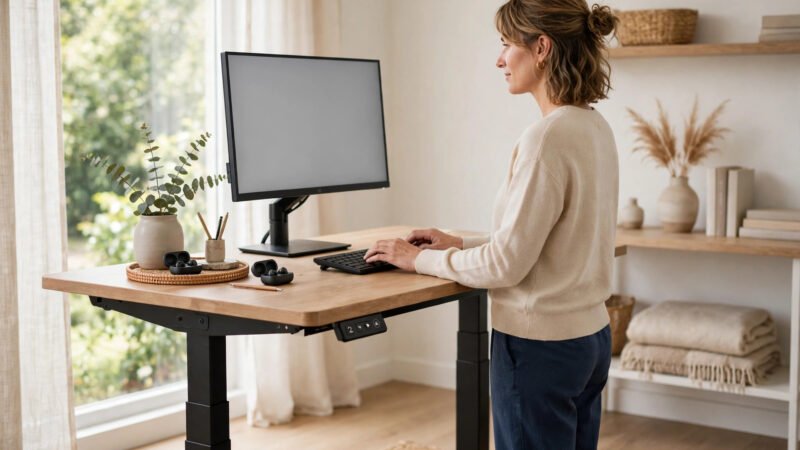
Light and posture work together. The American Optometric Association (AOA) notes that people who spend two or more continuous hours a day at a screen are at greatest risk of computer vision syndrome, also called digital eye strain, whose symptoms include eyestrain, headaches, blurred vision, dry eyes, and neck and shoulder pain, with poor lighting and glare among the causes, as described on the AOA’s computer vision syndrome page. The AOA’s 20-20-20 rule, taking a 20-second break to view something 20 feet away every 20 minutes, gives your focusing muscles a rest, and it pairs naturally with a glance toward daylight and distance. The AOA also suggests the screen should sit 15 to 20 degrees below eye level, as measured from the centre of the screen, and 20 to 28 inches from the eyes. A well-set standing desk helps here, but even a temporary monitor riser can show whether height is part of the problem.
What about small rooms and rooms with no window?
Small and windowless offices need the same principles, with a few practical twists. Space is tight, so every fixture has to earn its place, and without daylight, the artificial layers have to do all the work, including marking the time of day.
On a small desk, a monitor light bar or a clip-on lamp often beats a traditional lamp, because it leaves the work surface free. A floor lamp beside the desk can also work, giving a higher, softer light source without taking desk space. Keep the beam focused, and keep the room light on even if it feels unnecessary: a single desk lamp in a dark box room is one of the fastest routes to eye fatigue.
Without a window, use adjustable colour temperature to mimic the day: brighter and cooler in the morning, around 4000K, then warmer and dimmer toward evening, around 3000K or lower. A lamp with built-in colour adjustment, or smart bulbs on a schedule, can do this automatically, and that routine also helps mark the boundary between work and home when both share a room. Add a low glow behind the monitor so the screen does not float in darkness. If you are setting up from scratch, our complete home office setup guide walks through desk, chair, and layout choices that fit with this lighting plan, alongside our guide to ergonomic office chairs for back pain.
What recent guidance says about light and eye comfort
The advice in this guide lines up across workplace safety bodies, eye-care bodies, and lighting guides, and three themes recur. First, glare and contrast, not brightness alone, drive most complaints. OSHA links excessive lighting and glare on the monitor screen to eyestrain, headaches, and awkward postures adopted to see past a reflection, and its solutions are practical: diffuse light, blinds, matte finishes, and screens at right angles to windows.
Second, eye-care guidance focuses on the whole viewing setup, not light in isolation. The AOA lists poor lighting and glare among the causes of computer vision syndrome, alongside viewing distance, posture, and uncorrected vision problems, and it recommends regular eye care, correct screen distance, and breaks. Persistent symptoms deserve an eye examination, not just a new lamp.
Third, colour and brightness targets have converged: Seus Lighting’s 300 to 500 lux and 3500K to 4500K daytime range sits alongside other guides that suggest 4000K as the home-office sweet spot, with warmer light in the evening. Evidence is mixed on very cool 5000K to 6000K light, which some guides praise for focus and others call clinical over a full day. The safer middle ground is 3500K to 4500K by day with a warmer evening setting.
Common mistakes to avoid
1. Relying on a single overhead light. One fixture casts shadows where your body blocks it, leaves the screen fighting a dark room, and gives you no control over mood or intensity. Add a task lamp before buying anything else.
2. Putting the desk with a window behind or in front of the screen. Both positions cause glare, in opposite ways. Move the desk so the window is to the side, or use blinds at the worst hours if moving is impossible.
3. Placing a light directly above or behind the monitor. This guarantees screen glare and contrast strain. Light the desk and the papers, not the screen, and keep bulbs out of your direct line of sight.
4. Using cool white light all evening. Bright, cool light that helps focus at 10am can feel harsh and alerting at 9pm. Dim the room and warm the colour in the evening, especially if you work late.
5. Ignoring colour rendering. Low-CRI bulbs make documents, colours, and your video-call appearance look off, even when the room seems bright enough. Check CRI 90 or above when you next buy bulbs.
6. Buying brightness instead of control. A very bright, fixed lamp is less useful than a dimmable, adjustable one. Control, being able to aim, dim, and warm the light through the day, is what turns a bright room into a comfortable one.
7. Forgetting the screen itself. Lighting cannot fix a screen set far too bright for the room, or far too dim. Match screen brightness to the room, clean the screen regularly, and check viewing distance and height. Dust and fingerprints add glare that no lamp can remove.
Final recommendations
Start with the free changes, then spend only where a gap remains. Move the desk so the window is to the side, tilt the monitor slightly down, switch to a matte desk surface if you can, and open or tilt the blinds at the glare hours.
Next, fix the task layer. Choose an adjustable, dimmable desk lamp or monitor light bar, place it on the opposite side to your writing hand, about 15 to 20 inches above the desk, aimed at the work and away from the screen. Set daytime colour around 4000K, with a warmer evening option, and look for CRI 90 or above. Then balance the room: add soft ambient light so the screen is not the brightest object in a dark space, and a low accent or bias glow behind the monitor if evening work still feels contrast-heavy.
For calls, add soft front light, slightly to one side and above eye level, and remove any bright window or bulb from directly behind you. Finally, build the habits that support the setup: use the 20-20-20 rule, blink deliberately during long screen stretches, take a proper break after two hours of continuous computer work, and book an eye examination if headaches, blurred vision, or dry eyes persist despite a better setup. A lamp is a tool, not a diagnosis.
Before you finish: a note on scope
This content is for educational purposes only and does not replace professional medical or eye-care advice. Always consult a qualified eye-care professional before making health decisions about persistent eye pain, vision changes, or headaches. Lighting changes can improve comfort for many people, but they cannot diagnose an underlying vision problem, and they are not a substitute for regular eye examinations.
Frequently asked questions
The best home office lighting layers three sources: soft ambient light for the whole room, an adjustable task lamp at the desk, and daylight from a side window where possible. Aim for roughly 300 to 500 lux at the desk, use neutral-to-cool white light around 3500K to 4500K by day, and keep bulbs out of your line of sight and off the screen. The task lamp is the single most important layer.
Aim for roughly 300 to 500 lux at the desk for general office work, rising toward 500 to 750 lux for detailed tasks such as fine reading or drawing. In practical terms, a task lamp delivering a few hundred lumens onto the work area, plus ambient light filling the room, usually lands in range. Even, comfortable brightness matters more than one very bright source.
For daytime focus, 3500K to 4500K, often centred on 4000K, is a good choice, as it looks crisp and neutral without feeling clinical. In the evening, warmer light around 3000K is gentler and helps wind-down. Adjustable lighting that shifts cooler by day and warmer in the evening suits a home office better than a single fixed colour.
Place the lamp on the opposite side to your writing hand, about 15 to 20 inches above the desk, aimed down at papers and keyboard rather than at your eyes or the screen. For computer work, a 45-degree angle to the side or behind the monitor often works well, with light reflected off a surface. If you can see the bulb or a reflection in the screen, move the lamp.
Put the desk so the window is to the side of the screen, with the screen at right angles to the window. A window behind the monitor creates glare and a dark screen, while a window facing you shines into your eyes. Use blinds or sheer curtains to soften strong sun, and add a soft front light for video calls if the window must stay behind you.
Light your face softly from the front, slightly to one side and slightly above eye level, using a diffused lamp or daylight from a side window. Avoid a bright window or lamp directly behind you, as it turns you into a silhouette, and avoid harsh overhead light, which casts shadows under your eyes. Keep the colour around 3000K to 4000K so skin tones look natural.
Use the same three layers without daylight: a diffused ambient light, an adjustable task lamp or monitor light bar, and a low accent glow behind the monitor. Mimic the day with adjustable colour, cooler and brighter in the morning and warmer and dimmer in the evening. Light, matte walls help, and keeping the room light on stops the screen from floating in darkness.
A desk lamp usually works well for everyday calls if it is diffused, placed in front of you slightly to one side, and set to a natural colour around 3000K to 4000K. A ring light can give very even face light, but it can also create circular reflections in glasses. Start with the lamp you already own, test the camera preview, and only add a dedicated call light if the picture still looks shadowy.
Conclusion
Home office lighting is one of those improvements that feels small until you live with it for a week. A desk that was once a shadowy corner with a glaring screen becomes a place where papers are easy to read, calls look natural, and the afternoon headache arrives less often, or not at all. The change rarely comes from a single expensive purchase. It comes from layering: ambient light to fill the room, a task lamp to light the work, and daylight controlled rather than endured.
Start today with the free fixes. Check where the window sits relative to your screen, move the lamp to the opposite side of your writing hand, tilt the monitor a touch, and pull the blinds at the hour when the sun hits hardest. Then, if you need it, upgrade the task lamp to one you can aim and dim, set the daytime colour near 4000K, and check the CRI. Those steps cover the vast majority of home offices, from a spare bedroom to a corner of a living room to a tiny windowless nook.
Keep an eye on how the room changes through the day and the seasons, and adjust with it. The goal is not a perfect room photographed once, but a comfortable room you can work in, day after day, without thinking about the light at all.
If this guide helped, read our guide to reducing eye strain while working from home next, and check your desk height and chair against our standing desk setup guide.
References
- US Occupational Safety and Health Administration — Computer Workstations: Workstation Environment — https://www.osha.gov/etools/computer-workstations/workstation-environment
- American Optometric Association — Computer Vision Syndrome — https://www.aoa.org/patients-and-public/caring-for-your-vision/protecting-your-vision/computer-vision-syndrome
- Seus Lighting — Home Office Lighting: Setup Guide for Work and Eyes — https://www.seuslighting.com/blogs/p/home-office-lighting
- BenQ — How to Master Desk Lamp Placement: A Practical Guide — https://www.benq.com/en-us/knowledge-center/knowledge/how-to-master-desk-lamp-placement-guide.html
- Lights.com — How to Choose Color Temperature for Every Room — https://lights.com/blogs/news/how-to-choose-color-temperature-for-every-room