There is a small, daily frustration that many older adults know well: standing at the front door, hands full of shopping, rain starting, and the key refusing to turn. The lock is stiff. The keyhole is hard to see in the dark. The key itself has vanished into the bottom of a bag. It is a tiny moment — but when it happens every day, and when arthritis, weaker eyesight, or a fading memory join in, it stops being tiny. It becomes the reason someone dreads going out, or the reason a daughter starts worrying about her mum living alone.
A smart lock for seniors does not solve every problem at the front door. What it does, at its best, is remove the fiddliest part of getting in and out of your own home. Instead of a key, you tap in a short code, press a fingertip to a reader, or simply push the door shut and hear it lock itself. Family members can let themselves in with their own code, and nobody has to hide a spare key under a plant pot any more.
This guide explains, in plain language, how smart locks work, which types suit older adults, what to check before buying, and where the real risks sit — including batteries, power cuts, and dementia. It is researched and written by Md Masud Rana based on published expert sources. It is not a product review: no lock was tested for this article, and no brand has paid for a mention.
Written by Md Masud Rana based on published expert sources. This article has not been professionally reviewed. See our sources below.
Quick Answer
Smart locks for seniors replace fumbling with keys with simpler entry: a backlit keypad code, a fingerprint, or a phone tap. The best choice for most older adults is a lock with a large, well-lit keypad, a physical key backup, auto-lock, and low-battery alerts — and one that still opens easily from inside without a code. Avoid locks that depend entirely on a smartphone app, and always keep a spare key with a trusted neighbour. For anyone living with dementia, talk to their doctor first: a lock must never trap a person inside during a fire or emergency.
Contents
- Why Keys Become Hard — and What a Smart Lock Changes
- How Smart Locks Work: The Main Types Explained
- Key Features to Look For When Choosing a Smart Lock for a Senior
- Setting Up a Smart Lock for an Older Adult, Step by Step
- What Happens When the Battery Dies
- Smart Locks and Dementia: What Families Need to Know
- Privacy and Security: Keeping Codes and Data Safe
- Common Mistakes to Avoid
- Final Recommendations
- Frequently Asked Questions
Why Keys Become Hard — and What a Smart Lock Changes
A standard key asks a surprising amount of its user. Grip it firmly, line it up with a small hole, push it in straight, then twist — often while holding bags, in poor light, in cold weather. For hands affected by arthritis, that twist can genuinely hurt. For eyesight that has dimmed, finding the keyhole at night is guesswork. And for memory that occasionally drops a detail, the key is simply not in the pocket where it should be.
None of this means a person is incapable. It means the tool no longer fits the hand. That is the whole case for a smart lock: it changes the physical task at the door into something easier. A keypad asks for four remembered digits pressed on large, lit buttons. A fingerprint reader asks for one fingertip held still for a second. A retrofit lock asks for nothing at all from the person at the door — it unlocks as their phone approaches, or locks itself behind them.
There is a second, quieter benefit, and families tend to notice it first. When an older parent lives alone, the daily worry is not burglary — it is the unanswered phone, the key left inside, the lockout on a cold evening. A smart lock with an activity log can show that Mum came home at her usual time. A temporary code can let a home carer in at 10 o’clock and stop working at 11. A daughter living two hundred miles away can unlock the door for a paramedic without anyone having to break a window. Used this way, the lock is less a gadget than a small piece of reassurance, running quietly in the background.
It is worth being honest about the limits, too. A smart lock will not stop a determined intruder any better than a good deadbolt — the door and frame matter more than the electronics. It will not help someone who cannot remember a code and cannot use a fingerprint reader either. And it adds new chores: batteries to change, an app to keep updated, a code to change when a carer leaves. For some households, a simpler answer — a bigger key handle, a brighter porch light, a key safe — is genuinely the better spend.
How Smart Locks Work: The Main Types Explained
There are two basic shapes, and the difference matters more than any brand name. A full-replacement deadbolt swaps out your existing lock entirely. A retrofit lock bolts onto the inside of the door and turns your existing deadbolt for you, leaving the outside — keyhole, cylinder and all — exactly as it was.
Full-replacement deadbolts with keypads
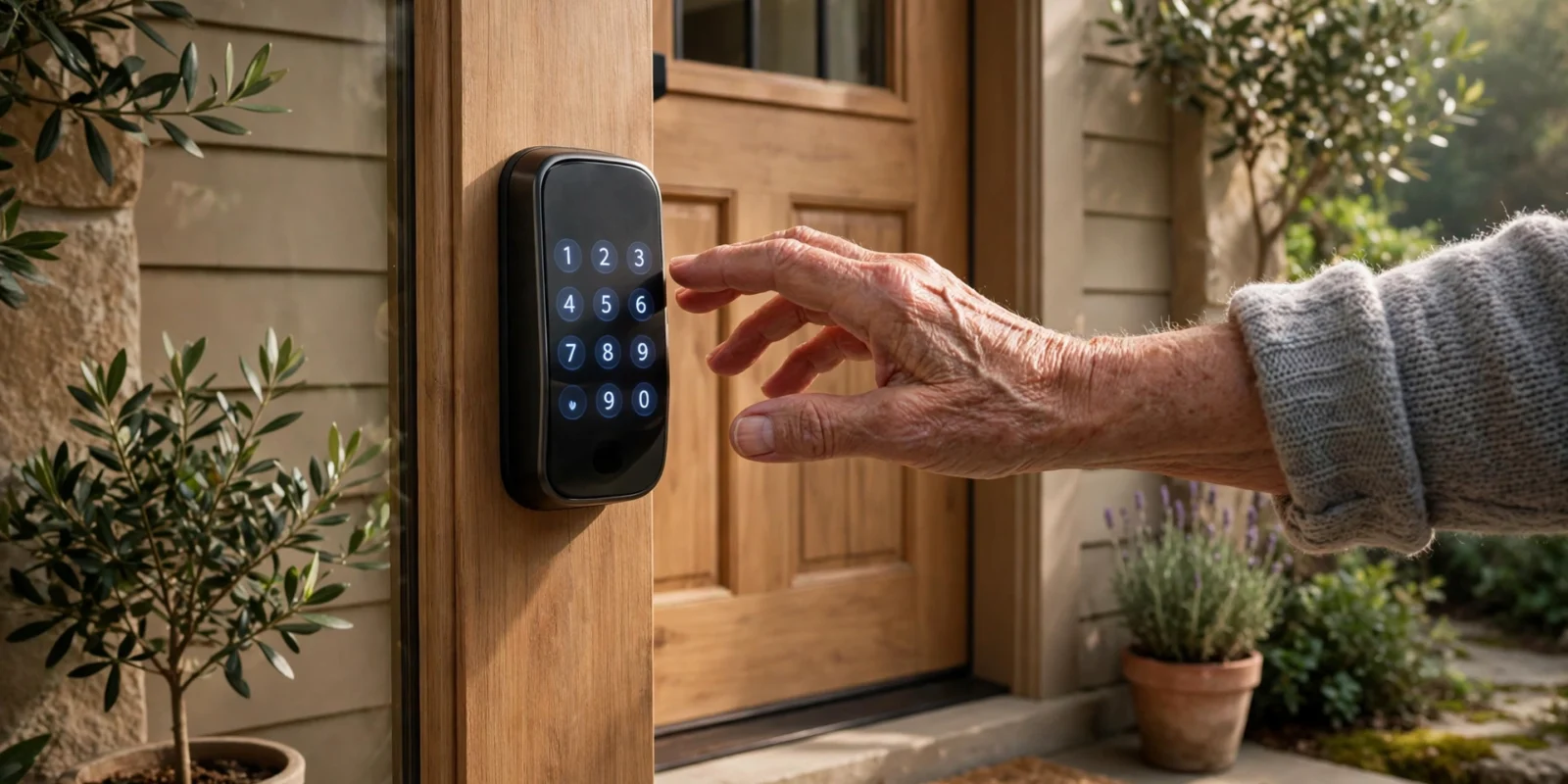
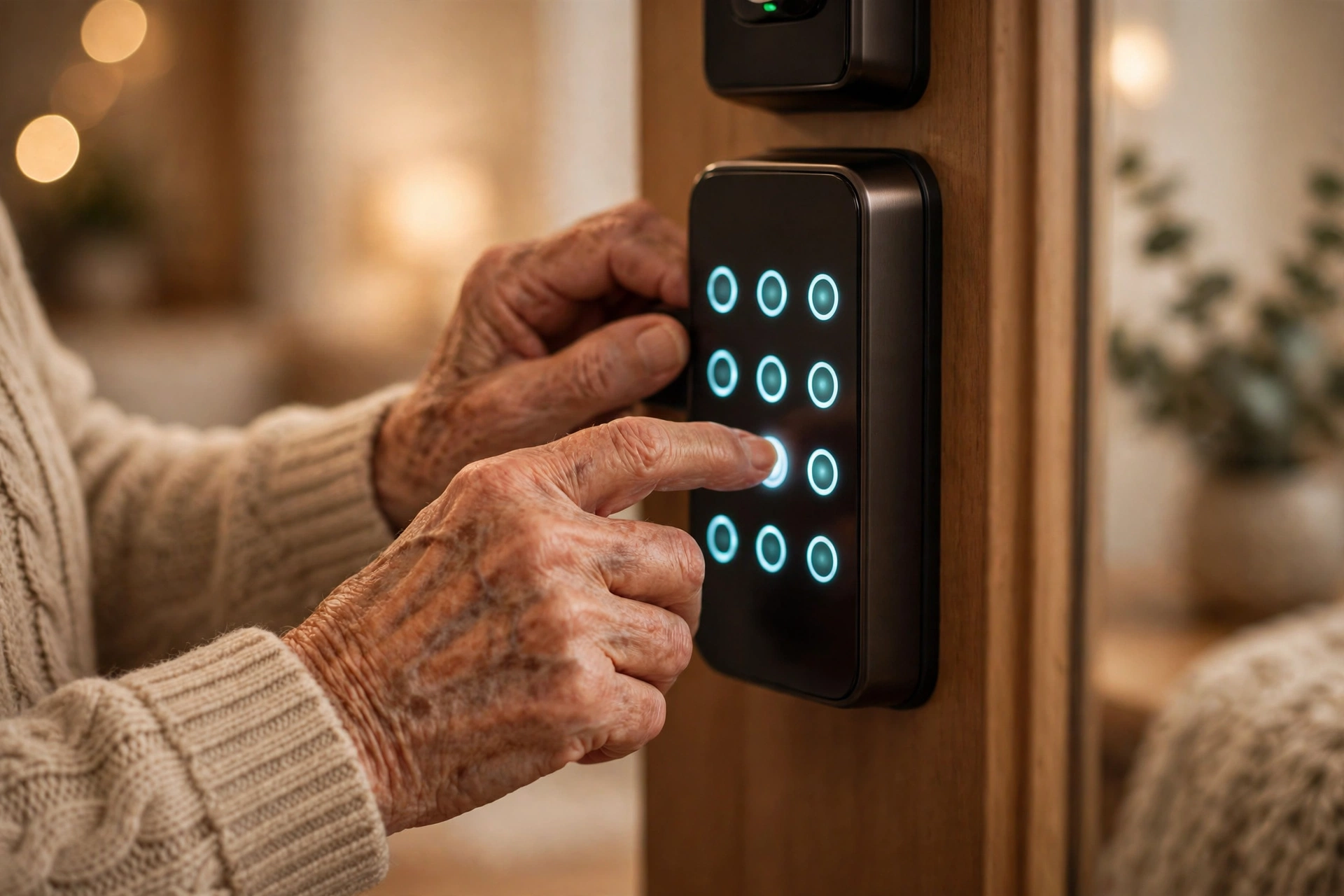
This is the most common type, and the one most senior-focused comparisons recommend first. The outside unit has a touchscreen or push-button keypad, usually backlit, and often a fingerprint reader. You type a code or touch the reader; the motor throws the bolt. Inside there is a thumb-turn, exactly like a normal lock, so getting out never needs a code. Most also keep a physical key cylinder as a backup.
The strengths are obvious: no phone needed at the door, clear buttons, a familiar shape. The trade-offs are real too. Fitting one means removing the old deadbolt, so the door must close cleanly and the holes must line up — a sticky door will only get worse with a motor fighting it. And because the whole lock is replaced, the outside appearance changes, which matters in rented homes or flats with strict rules.
Retrofit locks that keep your existing key
A retrofit lock sits entirely on the inside of the door. From the street, nothing changes: the same key, the same cylinder, the same look. Inside, a motorised unit grips the thumb-turn of your existing deadbolt and moves it when the app, a voice command, or an approaching phone says so. One well-known example mounts on the inside of the existing deadbolt and keeps the outside key and cylinder untouched, adding a sensor that reports whether the door is actually closed. (SimpleSmartHome)
Retrofit locks suit renters and anyone whose current deadbolt works well and whose door hardware cannot change. The catch is the entry method: without a separate keypad accessory, there is no code to type at the door — entry is by key or phone. For an older adult who does not carry a smartphone, that can make a retrofit lock the wrong choice unless the keypad is bought at the same time.
Key Features to Look For When Choosing a Smart Lock for a Senior
Shopping for a smart lock is mostly a matter of ignoring the impressive-sounding extras and checking a short list of practical things. Here is the list that matters for an older adult, in roughly the order to check them.
Large, backlit buttons or a forgiving fingerprint reader
The keypad should be readable without glasses in a dim hallway: big numbers, strong backlighting, clear contrast. Touchscreens look modern but can be fiddly with dry skin; raised push-buttons give a physical click that many older users prefer. If you choose a fingerprint model, check that it stores multiple fingers — a thumb and an index finger, at least — so a cut or a plaster does not lock someone out.
A physical key backup, always
This is non-negotiable. Every lock worth buying keeps a mechanical key path, and the spare key should live somewhere sensible — with a trusted neighbour, or in a small lockbox fixed near the door. A lock with no keyhole at all is a lock that can strand its owner on a cold evening.
Auto-lock with a door sensor
Auto-lock is the single most useful feature for anyone who forgets to lock up. The lock re-secures itself after a chosen delay, often adjustable from 10 seconds to a few minutes. The better models add a door sensor, so the lock only engages once the door is actually closed.
Low-battery alerts — and batteries that are easy to change
Most smart lock batteries last between six and 12 months under typical use, and most locks warn you through their app weeks before they fail. (Tapo) But an alert on a phone only helps if someone reads it. Choose a lock that also beeps or flashes at the door, and check who will actually change the batteries.
Temporary and scheduled codes for carers
A good lock lets you create a separate code for each person: a permanent code for the resident, a daytime code for a home carer, a one-off code for a plumber. Each can be deleted without changing anyone else’s code — which beats cutting new keys every time a helper changes. Scheduled codes that only work during agreed hours are ideal for regular care visits.
An activity log the family can actually read
The log shows when the door was locked, unlocked, and by which code. For a family supporting someone living alone, a glance at the morning’s entries can answer the question “is Mum up and about?” without a phone call. Keep the purpose honest and agreed: this is a safety check, not surveillance.
Compatibility with the home’s Wi-Fi and voice assistant
Most smart locks need a 2.4 GHz Wi-Fi network — the slower band that reaches further through walls. If the router is at the far end of the house, the lock may struggle, and several senior-focused reviews note that remote features fail first when the signal is weak. (SeniorsProTalk) Before buying, check that the front door gets a usable Wi-Fi signal on a phone. If the household already uses a voice assistant, our smart speakers for seniors guide covers how voice control fits in.
Setting Up a Smart Lock for an Older Adult, Step by Step
Installation is usually a screwdriver job that takes 20 to 30 minutes on a standard door, and most guides describe it as manageable for anyone comfortable with basic DIY. (SeniorsProTalk) But fitting the lock is the easy half. Setting it up for an older adult is a small project, and doing it properly is what makes the difference between a lock that helps and a lock that confuses.
Before you buy
- Measure the door. Check thickness, the size of the existing bore hole, and the distance from the door edge to the centre of the hole. Most locks fit standard doors; older or non-standard doors may need an adapter.
- Fix the door first. If the deadbolt sticks, a motorised lock will struggle and drain its batteries. Sort the alignment before fitting anything electronic. (SimpleSmartHome)
- Check the Wi-Fi at the door. Stand at the front door with a phone and confirm a usable 2.4 GHz signal. If it is weak, a small Wi-Fi extender may be needed.
- Decide who manages it. One person — usually an adult child or carer — should hold the admin role in the app: creating codes, reading alerts, changing batteries.
On installation day
- Fit the lock in daylight, unhurried. Keep the old lock and its keys until the new one has worked for a week.
- Register fingers and codes together. Sit with the older person, register their fingerprints, and let them choose their own code — something meaningful to them. Write it down and store it somewhere safe, not on the door frame.
- Test every entry method from outside. Code, fingerprint, key, app — each one, twice. Then test getting out from inside, in the dark. The inside thumb-turn should work by feel alone.
- Turn on auto-lock and low-battery alerts. Set the auto-lock delay generously at first — two or three minutes — so nobody gets locked out while carrying shopping in. Send alerts to the family manager’s phone as well as the resident’s.
- Show, don’t tell. Have the older person lock and unlock the door themselves five or six times. Leave a one-page printed card by the door: the code (or where to find it), what the beeps mean, and who to call.
What Happens When the Battery Dies
This is the question almost everyone asks first, and the answer is reassuring: a dead battery does not mean you are locked out. Nearly every smart lock includes at least one backup access method, and most include two or three. (Tapo)
First, the physical key. Most smart deadbolts keep a traditional key cylinder, and the mechanical key works without any power at all. That is why the spare key matters so much — keep one with a trusted neighbour or in a lockbox, and test it once a year.
Second, emergency power. Many locks have a USB-C port on the outside unit: plug in a phone or a power bank and the lock wakes up long enough for one entry. It does not recharge the battery; it just gets you inside. Some older keypad models instead have two small contacts on the underside where a standard 9-volt battery, held briefly against them, supplies enough power to type the code. Check which method your model supports before you need it. (Tapo)
Third, the warnings. A lock does not usually die without notice. Most send low-battery alerts through their app weeks in advance, and many also beep, flash, or show a red light at the door. (Tapo) Responding to the first alert rather than the third is all it usually takes.
One more reassurance: when the battery dies, the lock fails locked, not open. The bolt stays where it is, and anyone inside can still open the door with the inside thumb-turn. What you lose is the smart features: remote access, auto-lock, and app control all stop until power returns.
Smart Locks and Dementia: What Families Need to Know
This is the section that needs the most care, because a smart lock in a dementia household is not just a convenience — it changes who can leave, and when. Get it wrong and the lock that was meant to protect someone can put them in danger.
The starting point is guidance from the Alzheimer’s Association, summarised in a safety guide published in November 2026: never lock a person with dementia in at home. In a fire or a medical emergency, a person who cannot open the door — or a rescuer who cannot get in — loses time that matters. Anything that needs a key, a code, or an app to open from the inside carries this risk. (AgingSteady)
That does not mean smart locks have no place in dementia care. It means their role is different from what many families first imagine. A smart lock is useful as a monitor, not as a barrier: it can report when a door opens, log who came and went, and let a carer unlock the door remotely in seconds. What it should not do is become the thing that stops a person leaving. (AgingSteady)
Safer first steps before any lock change
- A door alarm or chime. A sensor that sounds — or alerts a carer’s phone — when an outside door opens. It does not stop anyone leaving, but a night-time exit wakes someone. For most families, this is the right first step.
- Make the door less noticeable. Guidance from the Alzheimer’s Association home safety checklist suggests placing latches out of the line of sight and removing locks on interior doors, so the person cannot lock themselves into a bathroom or bedroom. (AgingSteady)
- Routines and supervision. A regular walk routine, good night-time lighting, and a carer present at the hours when wandering usually happens address the cause; a lock only addresses the exit.
Five questions before changing any lock
- Has an alarm and a plan been tried first?
- Can the person get out in a fire — in smoke, in the dark, frightened and confused?
- Can a helper get in — a neighbour, a paramedic, you arriving after a fall?
- Is someone always home? A person locked in and alone is the situation the guidance warns against.
- Has the doctor been told? A sudden urge to leave, especially at night, can have a cause worth checking.
If the answers point to a stronger step, that is a conversation for the person’s doctor and the local Alzheimer’s Association chapter — and the Association runs a 24/7 helpline at 800-272-3900 for exactly these questions. (AgingSteady) For a relative living alone, a medical alert system is often a better first purchase than a smarter lock.
Privacy and Security: Keeping Codes and Data Safe
A smart lock moves the security of a home partly onto a phone, an app, and a Wi-Fi network. That brings a few habits worth building from day one.
Codes are the new keys — treat them that way. Do not use a birth year that is printed on every birthday card, or 1234. Change the code when a carer or cleaner stops coming. Give visitors their own temporary code instead of sharing the household one, so you can revoke it without changing everyone else’s.
Keep the software updated. Lock makers release firmware updates that fix security issues and improve battery management. Checking for updates in the companion app once a month takes a minute and is part of owning the device.
Think about what is logged. Activity logs are genuinely useful for safety checks, but they are also a record of someone’s movements. Agree within the family who can see the log, and do not share access more widely than needed.
Do not hide a spare key in an obvious place. The old hiding spots — under the mat, in the flowerpot, above the door frame — are the first places anyone looks. A small key safe with a combination, fixed out of sight, or a key held by a neighbour, is the safer answer.
Common Mistakes to Avoid
1. Buying a phone-only lock for someone who does not use a phone. The most common error, and the most avoidable. If the person at the door does not carry a smartphone, the lock must open by code or fingerprint.
2. Fitting a motorised lock to a sticky door. A deadbolt that needs a shove will drain batteries, wear out the motor, and eventually fail to lock at all. Fix the alignment first.
3. Sharing one code with everyone. One code for the resident, the carer, the cleaner, and the grandson means that when one person leaves, everyone needs a new code — so nobody ever changes it. Individual codes cost nothing and remove the problem entirely.
4. Ignoring the first low-battery alert. The lock will warn you for weeks. The households that get locked out are the ones that treated the beeping as background noise. Replace all batteries at once, on the first alert.
5. Hiding the spare key under the mat. A smart lock does not fix a bad spare-key habit. A neighbour or a key safe is the answer; the flowerpot is not.
Final Recommendations
- Start from the person, not the product. Grip, memory, eyesight, phone habits — the lock should match the person who uses it daily.
- Insist on two usable entry methods plus a physical key. A keypad and a fingerprint reader, or a keypad and a key.
- Choose a lock with auto-lock and a door sensor. It removes the daily “did I lock the door?” worry more reliably than any reminder.
- Put one family member in charge of the app. Codes, alerts, updates, and battery checks are one person’s job.
- Set up carer codes on day one. Individual, scheduled codes beat a shared code and a drawer full of cut keys.
- Test the lock the way it will actually be used. In the dark, with shopping bags, with the “wrong” finger, and from inside without thinking.
- Build the monthly battery habit. Check the battery level in the app once a month; replace all cells on the first alert.
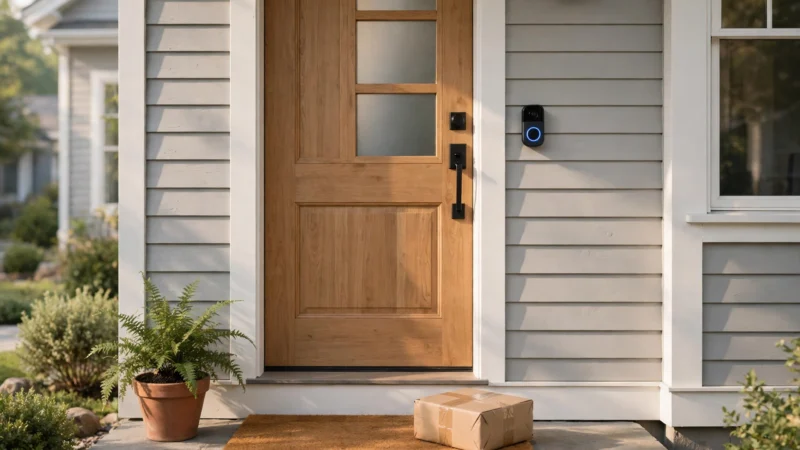
- Pair the lock with a doorbell and a light. A video doorbell and a bright porch light do more for front-door safety than a fancier lock — our smart home devices for seniors guide shows how they fit together.
- For dementia, alarms first, lock changes last — and involve the doctor. Never use a lock to keep a person inside without professional advice and a fire plan.
- Keep it simple. The best smart lock for a senior is usually the plainest one that does the job: big buttons, a key, auto-lock, and alerts.
This content is for educational purposes only and does not replace professional advice. Always consult a qualified locksmith or home security professional before making security decisions for your home, and consult a doctor before changing locks or routines for a person living with dementia.
Frequently Asked Questions
Yes, when chosen and set up well. A smart lock with a large keypad, a physical key backup, auto-lock, and low-battery alerts is generally as safe as a good deadbolt, and easier to use for someone with arthritis or poor eyesight. The main risks are a lock that depends entirely on a phone app and a shared code that is never changed. For anyone living with dementia, a lock must never trap them inside — talk to their doctor first.
For most older adults, a full-replacement deadbolt with a large backlit keypad and a physical key backup is the easiest option: type a short code, and the door opens. Fingerprint readers are even simpler for people who struggle to remember codes, but they can be fussy with dry or worn fingertips, so the keypad should stay available as a backup. Avoid locks that only open through a smartphone app.
You are very rarely locked out. Most smart locks keep a physical key cylinder that works without any power, and many also have a USB-C emergency port or 9-volt contacts that supply enough temporary power to enter a code. Most locks also send low-battery alerts through their app weeks in advance. Respond to the first alert and keep a spare key with a neighbour.
Yes, for the basics. Keypad codes, fingerprint readers, and the physical key all work without any internet connection, because they run on the lock itself. What stops working without Wi-Fi is remote control: unlocking the door from another town, receiving activity alerts, and creating new codes from the app. If remote access matters, check the 2.4 GHz signal at the front door before buying.
Yes. Smart locks run on batteries, not mains power, so a power cut does not affect them, and the inside thumb-turn always opens the door mechanically. Even if the batteries die completely, anyone inside can still turn the thumb-turn and walk out. The lock fails locked from the outside, not from the inside — which is exactly how it should be for fire safety.
Only partly, and it must be used with great care. A smart lock can alert a carer when a door opens and log who came and went, which is genuinely useful. But guidance from the Alzheimer's Association says never to lock a person with dementia in at home, because in a fire or medical emergency a locked door can stop them getting out and stop help getting in. Start with door alarms and involve the person's doctor.
Most smart lock batteries last between six and 12 months under typical use, depending on how often the door is used, whether the lock connects by Wi-Fi or Bluetooth, the temperature, and the quality of the batteries. Wi-Fi uses more power than Bluetooth, and cold weather shortens battery life. Check the battery level monthly and replace all the batteries at once when the first alert arrives.
Yes, absolutely. The spare key is the simplest backup for a dead battery, a failed fingerprint reader, or a lock that stops responding. Keep it with a trusted neighbour or in a small key safe — not under the mat or in a flowerpot. Test the key once a year to make sure it still turns smoothly, and make sure at least one family member knows where it is.
Conclusion
A front door should be the easiest door in the house to use, not the hardest. For many older adults, a smart lock makes that true again: a code instead of a fiddly key, a door that locks itself behind you, a carer who can let themselves in without a copy of your key. The technology is not complicated, and the best choices are usually the simplest ones — a big backlit keypad, a key that still works, auto-lock, and alerts that someone actually reads.
The mistakes are avoidable too. Buy for the person who will stand at the door every day, not for the most confident smartphone user in the family. Fix the sticky door before fitting the motor. Give every visitor their own code. Answer the first battery alert. And if dementia is part of the picture, slow down: alarms and routines first, the doctor involved, and never a lock that keeps a person inside.
References
- SeniorsProTalk — 10 Best Smart Door Locks for Seniors: Easy & Secure Picks — 2026 — https://seniorsprotalk.com/best-smart-door-locks-for-seniors/
- SimpleSmartHome — Best Smart Locks for Seniors (Google Home and Alexa Compatible) (2026) — 2026 — https://simplesmarthome.net/best/best-smart-locks-for-doors-for-seniors-top-picks-compared/
- Tapo — Smart Lock Battery Life: How Long It Lasts and What to Do If It Dies — 2026 — https://www.tapo.com/us/blog/smart-locks/smart-lock-battery-life
- AgingSteady — Door Locks for Dementia Patients: Options and Fire Safety — 2026 — https://www.agingsteady.com/door-locks-for-dementia-patients